

In today's fast-paced market, the line between a great idea and a successful product is drawn by how effectively you can ship code. Slow, error-prone deployments don't just frustrate developers; they kill momentum, expose security risks, and cost you users. Many teams are stuck in a cycle of manual checks, weekend releases, and post-deployment firefighting, turning what should be a routine process into a high-stakes gamble. This isn't just a tooling problem, it's a strategy problem. The solution lies in adopting a modern, automated approach grounded in proven software deployment best practices.
This guide provides a comprehensive roundup of the 10 most critical software deployment best practices that elite engineering teams use to ship code multiple times a day with confidence. We'll move beyond generic advice to give you actionable checklists, common pitfalls to avoid, and concrete examples you can implement today. Mastering these principles will transform your deployment pipeline from a source of anxiety into a competitive advantage.
You will learn how to implement robust systems for everything from Infrastructure as Code (IaC) and CI/CD automation to advanced release strategies like canary deployments and automated rollbacks. We will also cover essential security hardening, observability, and performance tuning techniques that ensure your application is not only delivered quickly but also remains stable and secure in production. For teams looking to accelerate this journey, services like Vibe Connect can embed these practices directly into your workflow, managing the complexities of deployment, scaling, and security so you can focus on building your product.
1. Infrastructure as Code (IaC)
Infrastructure as Code (IaC) is a foundational practice that treats your deployment infrastructure-servers, load balancers, databases, and networks-as version-controlled, executable code. Instead of manually configuring hardware or using interactive tools, you define your entire infrastructure in declarative configuration files. This approach makes provisioning and management automated, consistent, and repeatable, forming a critical component of modern software deployment best practices.

Popular tools like Terraform, AWS CloudFormation, and Ansible enable this by allowing teams to codify their infrastructure requirements. When a change is needed, you simply update the code, test it, and apply it. This eliminates "configuration drift," where staging and production environments slowly diverge, leading to unexpected deployment failures. For example, Stripe uses IaC to ensure its staging environment is an exact replica of production, enabling reliable testing and releases.
Why It's a Top Practice
Adopting IaC fundamentally shifts infrastructure management from a manual, error-prone task to an automated, reliable software development process. It accelerates developer onboarding by allowing new team members to spin up identical development environments with a single command. It also provides a clear, auditable history of all infrastructure changes, which is crucial for compliance and security.
Actionable Implementation Tips
- Version Control Everything: Store your infrastructure code in the same version control system (like Git) as your application code. This creates a single source of truth.
- Isolate Environments: Use separate state files for each environment (dev, staging, production) to prevent accidental changes. A mistake in staging should never impact production.
- Build Reusable Modules: Create modular and reusable components for common infrastructure patterns, such as a web server cluster or a database setup. This reduces code duplication and standardizes your architecture.
- Automate IaC Testing: Implement automated checks to validate your IaC code before it’s applied. Tools like
terratestfor Terraform or linters can catch syntax errors and misconfigurations early.
2. Continuous Integration/Continuous Deployment (CI/CD)
Continuous Integration/Continuous Deployment (CI/CD) is the engine of modern software delivery, automating the entire pipeline from code commit to production release. Continuous Integration (CI) automatically builds and tests every code change developers push to a central repository. Continuous Deployment (CD) then automatically deploys every validated change to production, making CI/CD a cornerstone of modern software deployment best practices. This approach minimizes manual errors, shortens release cycles, and provides rapid feedback to developers.
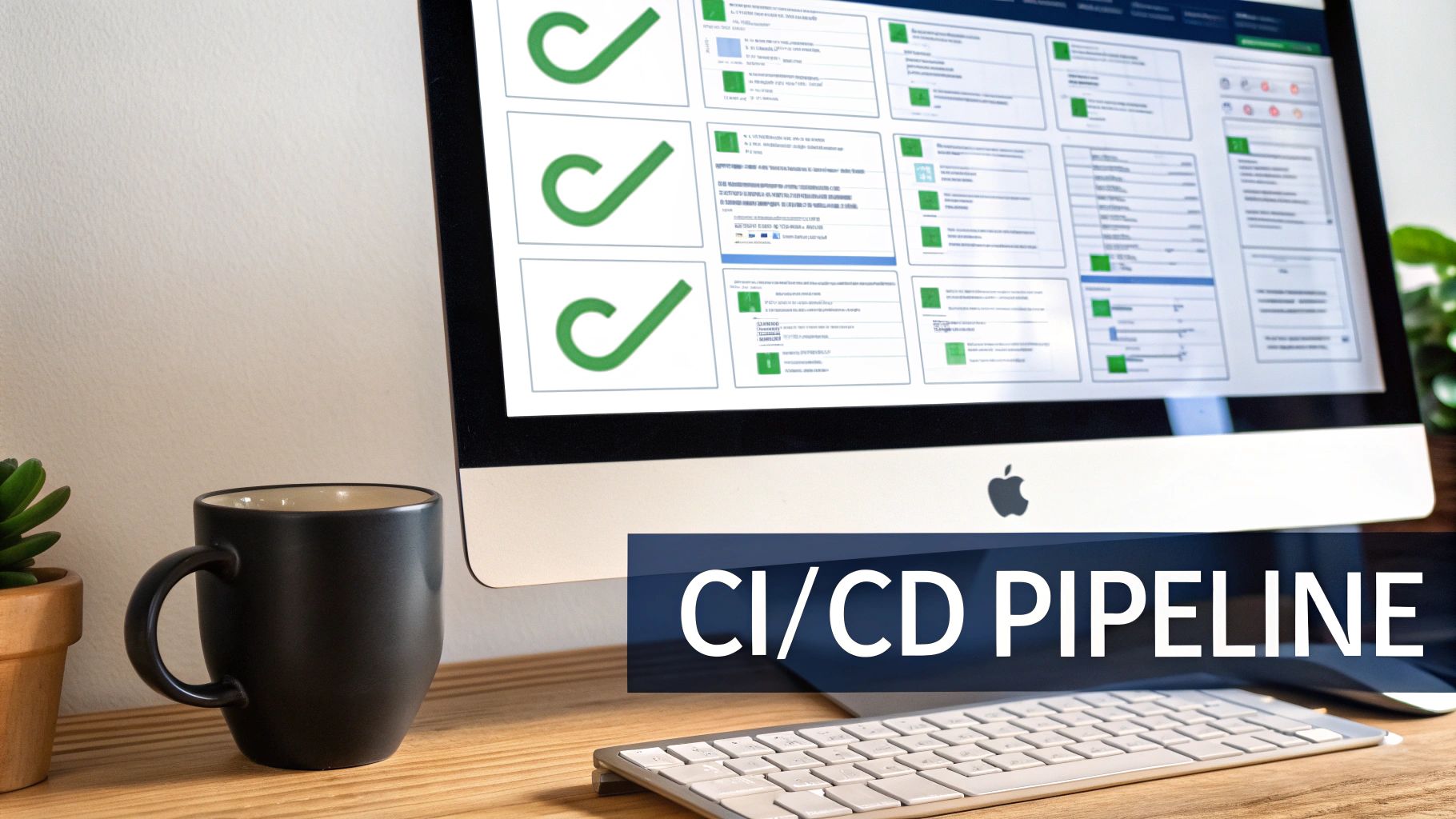
This practice is powered by tools like GitHub Actions, GitLab CI/CD, and Jenkins. They orchestrate a sequence of automated steps: compiling code, running unit and integration tests, and deploying the application. For instance, Slack deploys hundreds of times per day using a sophisticated CI/CD pipeline, allowing them to ship features and fixes to users almost instantly. Similarly, Amazon famously ships code every few seconds, a feat only possible through deep automation.
Why It's a Top Practice
CI/CD transforms deployment from a high-stress, infrequent event into a routine, low-risk activity. By automating the build and test phases, it catches bugs earlier in the development cycle when they are cheaper and easier to fix. It dramatically increases developer velocity, allowing teams to deliver value to customers faster and more frequently, which is a critical competitive advantage for startups and established companies alike.
Actionable Implementation Tips
- Master CI Before CD: Start by implementing Continuous Integration. Ensure your automated test suite is robust, reliable, and provides fast feedback before you attempt to automate deployments.
- Keep Pipelines Fast: Aim for initial pipeline feedback (build and unit tests) in under 10 minutes. Slow pipelines create developer friction and discourage frequent commits.
- Use Feature Flags: Decouple deployment from release using feature flags. This allows you to deploy new code to production in a dormant state and activate it for users independently.
- Integrate Security Scanning: Embed automated security scanning tools (SAST/DAST) directly into your CI pipeline to catch vulnerabilities before they reach production.
3. Observability and Monitoring
Observability moves beyond traditional monitoring by providing a deeper, more holistic understanding of your system's internal state from its external outputs. While monitoring tells you if something is wrong, observability helps you understand why. It combines metrics, logs, and distributed traces to create a complete picture, empowering teams to diagnose issues, understand performance, and build more reliable software. This practice is indispensable for complex, distributed systems where predicting every failure mode is impossible.

Pioneered by companies like Google and popularized by tools such as Datadog, Prometheus, and Honeycomb, this approach is critical for modern software deployment best practices. For instance, Uber leverages comprehensive observability to manage millions of microservice requests daily, ensuring service reliability. Similarly, Netflix's job orchestration engine, Genie, has detailed observability built in, which is crucial for maintaining performance at scale.
Why It's a Top Practice
Adopting observability means you can debug production systems without shipping new code or needing to reproduce bugs in a local environment. It reduces Mean Time To Resolution (MTTR) for incidents by providing rich context around failures. This proactive insight allows teams to move faster and with more confidence, knowing they can quickly understand the impact of any deployment and troubleshoot effectively.
Actionable Implementation Tips
- Implement the Three Pillars: Instrument your applications to emit metrics (numeric time-series data), logs (structured text records), and traces (the lifecycle of a request across services). Don't rely on just one.
- Define Service Level Objectives (SLOs): Before building dashboards, define clear SLOs for your services. This focuses your monitoring efforts on what truly matters to your users.
- Use Correlation IDs: Propagate a unique request identifier (correlation ID) across all microservice calls. This allows you to trace a single user's journey through your entire system.
- Create Alert-Linked Runbooks: For every alert, create a corresponding runbook that guides engineers on how to investigate and resolve the issue. This standardizes incident response and reduces stress.
4. Automated Security Testing and Vulnerability Scanning
Automated security testing is a crucial practice that integrates security checks directly into the development and deployment pipeline, a concept often called DevSecOps. Instead of treating security as a final gate before release, this approach shifts security left, making it a continuous and automated part of the software lifecycle. It involves using specialized tools to scan code, dependencies, containers, and infrastructure for vulnerabilities before they ever reach production.

This process includes several layers of scanning, such as SAST (Static Application Security Testing) to analyze source code for flaws, DAST (Dynamic Application Security Testing) to probe running applications, and software composition analysis (SCA) to find known vulnerabilities in third-party libraries. For example, GitHub's Dependabot automatically scans repositories for outdated dependencies and opens pull requests to patch them. Similarly, companies like Snyk provide tools that integrate into CI/CD pipelines to find and fix vulnerabilities in code, dependencies, and container images.
Why It's a Top Practice
Integrating automated security scanning is a non-negotiable component of modern software deployment best practices. It dramatically reduces the risk of deploying vulnerable code, which can lead to data breaches, reputational damage, and costly emergency fixes. By catching issues early, it makes remediation faster and cheaper while fostering a culture where security is a shared responsibility, not just the security team's problem.
Actionable Implementation Tips
- Start with Dependency Scanning: This is often the easiest to implement and provides the highest return on investment, as open-source vulnerabilities are a common attack vector.
- Integrate into Your CI/CD Pipeline: Embed security tools directly into your build and test stages. Scans should run automatically on every code commit or pull request, providing immediate feedback to developers.
- Scan Container Images: Before pushing any container image to a registry like Docker Hub or AWS ECR, scan it for known vulnerabilities in its base image and system libraries.
- Implement Secret Scanning: Add automated checks to your pipeline to prevent developers from accidentally committing API keys, passwords, or other credentials into the codebase.
- Establish a Remediation Process: Define clear Service Level Agreements (SLAs) for fixing vulnerabilities based on their severity. For instance, critical vulnerabilities must be fixed within 24 hours, while low-risk ones can be addressed in the next sprint.
5. Staging Environment Parity
Staging Environment Parity is the practice of making your staging environment an exact replica of your production environment. This includes the same infrastructure, operating systems, network configurations, data patterns, and external service integrations. Instead of testing in a simplified, "close-enough" setup, you validate changes in a high-fidelity environment that mirrors production, serving as the final quality gate before deployment. This approach is a cornerstone of reliable software deployment best practices, as it drastically reduces environment-specific bugs that only appear after a release.
Companies handling critical operations, like Shopify and Stripe, rely on production-parity staging to prevent regressions in their core services, such as checkout flows and payment processing. By ensuring the staging environment behaves identically to production, their teams can deploy complex changes with high confidence. Any issues related to infrastructure quirks, configuration drift, or data schema mismatches are caught and resolved before they can impact a single customer.
Why It's a Top Practice
Achieving staging parity eliminates the dreaded "but it worked on my machine" problem on an organizational scale. It transforms staging from a simple functional testing ground into a full-dress rehearsal for a production release. This allows teams to validate not just code functionality but also performance, monitoring configurations, and even incident response drills. It is the single most effective way to prevent last-minute deployment failures caused by subtle environmental differences.
Actionable Implementation Tips
- Codify Your Infrastructure: Use Infrastructure as Code (IaC) tools like Terraform to provision and manage both staging and production environments from the same codebase, ensuring they are structurally identical.
- Automate Data Sanitization: Implement automated pipelines that regularly refresh staging data from a production snapshot. Crucially, integrate data anonymization or pseudonymization steps to protect user privacy and comply with regulations like GDPR.
- Mirror External Services: Ensure that versions and configurations of all third-party services (APIs, databases, message queues) are identical between staging and production. Use version pinning to prevent drift.
- Unify Monitoring: Deploy the exact same monitoring, logging, and alerting tools in staging as you do in production. This allows you to test your observability stack and catch any potential monitoring gaps before a release.
6. Canary Deployments, Gradual Rollouts, and Automated Rollback & Incident Response
Canary deployments and gradual rollouts are risk-mitigation strategies that introduce new software versions to a small subset of production traffic before a full release. By exposing the new code to real users in a controlled manner, teams can monitor its performance and behavior. If the new version meets predefined success metrics, the rollout continues until 100% of users are on the new version. If it fails, an automated rollback can be triggered, minimizing user impact.
This practice is a cornerstone of how major tech companies like Google, Facebook, and Netflix deploy software safely at massive scale. For example, LinkedIn's deployment system automatically rolls back a release if key business metrics, such as error rates or user engagement, exceed predefined thresholds during the canary phase. Tools like Flagger, Spinnaker, and feature flag platforms such as LaunchDarkly provide the infrastructure to automate these sophisticated release strategies.
Why It's a Top Practice
This approach transforms deployments from high-stakes, all-or-nothing events into low-risk, observable processes. It provides a final validation gate using real production traffic, which is impossible to fully replicate in staging environments. By catching issues with a small percentage of users, it prevents widespread outages and protects the user experience, making it an essential part of modern software deployment best practices. Automated rollbacks further de-risk the process by removing human delay from incident response.
Actionable Implementation Tips
- Define Clear Success Metrics: Before starting a canary rollout, establish specific Service Level Objectives (SLOs) for success, such as p99 latency, error rate, and CPU utilization.
- Start Small: Begin with a very small user group for the canary (e.g., 1-5%) to limit the potential blast radius of any undiscovered bugs.
- Automate Rollback Triggers: Configure your CI/CD pipeline to automatically initiate a rollback if your monitoring tools detect an SLO violation in the canary environment.
- Test Your Rollback Procedures: Regularly run drills to ensure your automated and manual rollback mechanisms function as expected under pressure. A rollback plan that has never been tested is not a plan at all.
7. Least Privilege Access and RBAC (Role-Based Access Control)
The principle of least privilege is a security cornerstone in software deployment, dictating that every user, application, and system component should only have the minimum permissions necessary to perform its intended function. This is implemented through Role-Based Access Control (RBAC), which groups permissions into specific roles and assigns those roles to users. This strategy dramatically reduces the potential blast radius of a security breach and prevents accidental system damage.
Major cloud providers like AWS (IAM), Google Cloud (IAM), and Azure (RBAC) have built their security models around this concept, enabling fine-grained control over every resource. For instance, a CI/CD pipeline’s service account doesn't need database admin rights; it only needs permission to deploy a container to a specific cluster. Similarly, a junior developer’s role might grant read-only access to production logs but restrict their ability to execute deployments, a key part of modern software deployment best practices.
Why It's a Top Practice
Implementing least privilege and RBAC shifts your security posture from reactive to proactive. Instead of just protecting the perimeter, you are securing every interaction within your system. This approach is essential for meeting compliance standards like SOC 2 and HIPAA, which require strict access controls. It also simplifies access management by standardizing permissions through roles rather than assigning them ad-hoc to individuals.
Actionable Implementation Tips
- Audit and Refine Roles: Start with broad roles (e.g., "Developer," "Operator") and progressively refine them based on actual usage patterns. Regularly audit these roles to revoke unnecessary permissions.
- Use Dedicated Service Accounts: Create separate, purpose-built service accounts for each application and CI/CD environment. A deployment service account for staging should not have any access to production.
- Embrace Short-Lived Credentials: Where possible, use tools like HashiCorp Vault to issue temporary, short-lived credentials (e.g., valid for 15-60 minutes) for sensitive operations.
- Separate Duties: Ensure that roles for deployment, monitoring, and database administration are distinct. No single role should have universal access, which minimizes the risk from a single compromised account.
8. Database Schema Versioning and Migrations
Database schema versioning is the practice of managing and tracking changes to your database structure in a systematic, controlled way. Instead of applying raw SQL scripts directly to a database, you create incremental "migration" scripts that modify the schema one change at a time. This approach ensures your application code and database schema are always in sync, preventing catastrophic failures caused by mismatches.
Tools like Flyway, Liquibase, and framework-specific solutions like Rails Migrations or Python's Alembic automate this process. Each migration has a unique version, and the tool tracks which migrations have been applied to each database environment. For example, GitHub famously uses zero-downtime migration strategies, allowing them to evolve their complex database schema without service interruptions, which is essential for a platform that must be always-on.
Why It's a Top Practice
Without proper schema management, deployments become a high-stakes gamble. A developer might add a required column in their local environment, but if that change isn't applied to production, the deployment will crash the application. Versioning and migrations bring order to this chaos, making database changes repeatable, testable, and auditable. This practice is a cornerstone of reliable software deployment best practices, as it treats your database schema with the same discipline as your application code.
Actionable Implementation Tips
- Keep Migrations Small and Atomic: Each migration should represent a single, reversible change, such as adding a column or creating an index. This simplifies debugging and rollback.
- Prioritize Backward Compatibility: Design changes to be backward-compatible whenever possible. For example, add a new column with a default value instead of making it
NOT NULLimmediately, which could break existing code. - Test on Production-Sized Data: Before deploying, test your migrations on a staging environment with a realistic, production-sized data set. A migration that is fast on a small database might take hours and lock tables in production.
- Automate Migration in Your Pipeline: Integrate migration scripts directly into your CI/CD pipeline. The database schema should be automatically updated to the correct version before the new application code is deployed.
9. Performance Monitoring and Optimization
Performance monitoring is the practice of continuously measuring and analyzing your application's response times, resource utilization, and end-user experience metrics. Instead of waiting for users to report slow load times or errors, this proactive approach uses specialized tools to identify performance bottlenecks in real-time. This is a critical software deployment best practice because performance directly impacts user retention, conversion rates, and even SEO rankings.
Leading technology companies treat performance as a core feature. For example, Amazon famously calculated that a mere 100ms delay could cost them 1% in sales, while Walmart found a similar 1% conversion increase for every 100ms of speed improvement. Tools like Datadog, New Relic, and open-source solutions like Prometheus provide the visibility needed to track these metrics, from backend database queries to frontend rendering times.
Why It's a Top Practice
Integrating performance monitoring into your deployment pipeline transforms optimization from a reactive afterthought into a data-driven, continuous process. It allows you to establish performance baselines, automatically detect regressions with each new release, and pinpoint the exact code changes or infrastructure issues causing slowdowns. This ensures a consistently fast and reliable user experience, which is essential for building customer trust and achieving business goals.
Actionable Implementation Tips
- Monitor Core Web Vitals: Track Google's Core Web Vitals (LCP, FID, CLS) to understand and improve real-world user experience on the frontend.
- Establish Performance Budgets: Set strict limits for page weight, image sizes, and script execution times. Fail CI/CD builds that exceed these budgets to prevent performance regressions.
- Combine Synthetic and Real User Monitoring (RUM): Use synthetic tests to proactively check for issues in a controlled environment and RUM to understand how your application performs for actual users on different devices and networks.
- Profile Backend and Database Queries: Regularly use profiling tools to identify and optimize slow-running API endpoints and inefficient database queries that can degrade the entire application's performance.
10. Immutable Infrastructure and Container Best Practices
Immutable infrastructure is a powerful paradigm where servers and containers are never modified after deployment. Instead of patching, updating, or reconfiguring a running environment, you replace it entirely with a new, updated version built from a common image. This approach, championed by tools like Docker and orchestrated with platforms like Kubernetes, eliminates configuration drift and creates highly predictable, reliable systems, making it a cornerstone of modern software deployment best practices.
This practice treats infrastructure components as disposable artifacts. When a change is needed-whether it's an application update, a security patch, or a configuration tweak-a new image is built, tested, and deployed to replace the old ones. Tech giants like Netflix and Google built their entire operations around this model, enabling them to achieve massive scale with unparalleled stability. Similarly, Shopify uses Kubernetes to manage its containerized workloads, ensuring every deployment is consistent from development to production.
Why It's a Top Practice
Adopting immutability simplifies deployments and rollbacks immensely. Since you are just swapping old instances for new ones, the process is fast and atomic. It completely removes the risk of "snowflake" servers, where manual changes over time create unique, fragile environments that are impossible to replicate. This consistency makes debugging easier, enhances security by ensuring every instance is built from a vetted image, and streamlines operational management.
Actionable Implementation Tips
- Use Minimal Base Images: Start with small, secure base images like Alpine or distroless to reduce the attack surface and improve performance.
- Pin All Versions: Avoid using the
latesttag for base images or dependencies. Pinning specific versions ensures your builds are repeatable and predictable. - Scan Images for Vulnerabilities: Integrate tools like Trivy or Snyk into your CI/CD pipeline to automatically scan container images for known vulnerabilities before they are pushed to a registry.
- Implement Health and Readiness Probes: Configure health checks in your orchestrator (like Kubernetes) to automatically detect and replace unhealthy containers, ensuring high availability.
- Use Multi-Stage Builds: Keep your final production images lean by using multi-stage builds in your Dockerfile. This separates the build-time dependencies from the runtime environment.
10-Point Comparison of Software Deployment Best Practices
| Practice | Implementation Complexity 🔄 | Resource Requirements ⚡ | Expected Outcomes ⭐📊 | Ideal Use Cases 💡 | Key Advantages ⭐ |
|---|---|---|---|---|---|
| Infrastructure as Code (IaC) | Medium–High — declarative tooling and state management | Terraform/CFN/Ansible, version control, trained engineers | High consistency & reproducibility; faster onboarding and audits 📊 | Multi-environment deployments, reproducible infra, compliance | Eliminates drift; versioned, repeatable provisioning |
| Continuous Integration / Continuous Deployment (CI/CD) | Medium — pipeline design, test automation | CI runner, test suites, artifact repos, monitoring | Faster release cadence; fewer manual errors; rapid feedback ⭐📊 | Teams shipping frequently; agile/product-led orgs | Automates build/test/deploy; reduces time-to-market |
| Observability and Monitoring | Medium–High — instrumenting metrics, logs, traces | Monitoring stack (Prometheus/Datadog), storage, SRE skills | Faster MTTR; proactive detection; data-driven ops 📊 | Microservices, high-availability systems, production ops | Deep visibility across stack; supports root-cause analysis |
| Automated Security Testing & Vulnerability Scanning | Medium — integrate SAST/DAST and scanners into pipelines | Security tools (Snyk, Dependabot), CI integration, security reviewers | Fewer vulnerabilities; improved compliance and supply-chain visibility ⭐📊 | Public-facing apps, regulated industries, dependency-heavy projects | Shifts security left; automates detection and remediation |
| Staging Environment Parity | Medium — requires IaC and data-sync discipline | Duplicate infra, anonymized data pipelines, maintenance cost ⚡ | Higher confidence pre-release; fewer environment-specific incidents 📊 | Payment flows, major releases, performance/load testing | Realistic validation; reduces production surprises |
| Canary Deployments, Gradual Rollouts & Automated Rollback | High — traffic management, automation, SLO-driven logic | Feature flags, load balancers, advanced monitoring, runbooks | Minimized blast radius; safe gradual releases; fast rollback ⭐📊 | High-traffic prod, risky features, A/B testing scenarios | Controlled rollouts; automated rollback and incident handling |
| Least Privilege Access & RBAC | Medium — careful role design and ongoing maintenance | IAM systems (AWS/GCP IAM), identity provider, audit logging | Reduced attack surface; stronger compliance posture ⭐📊 | Multi-team orgs, regulated environments, high-risk services | Limits damage from compromised credentials; auditable access |
| Database Schema Versioning & Migrations | Medium–High — planning for backward-compatibility and rollbacks | Migration tools (Flyway, Liquibase), test data, DBA involvement | Safer schema evolution; reduced production outages 📊 | Data-intensive apps, evolving data models, multi-env deployments | Controlled migrations, versioned schema, rollback support |
| Performance Monitoring & Optimization | Medium — instrumentation, profiling, regression tracking | RUM/synthetic tools, profilers, monitoring dashboards | Improved UX, conversion, and resource efficiency ⭐📊 | Consumer web/apps, SEO-sensitive products, high-traffic sites | Data-driven performance gains; detects regressions early |
| Immutable Infrastructure & Container Best Practices | Medium–High — containerization + orchestration learning curve | Docker, K8s (EKS/GKE), registries, CI for image builds | Consistent deployments; fast rollbacks; scalable operations ⭐📊 | Cloud-native apps, microservices, scalable platforms | Eliminates snowflake servers; reproducible, efficient deployments |
From Best Practices to Daily Reality
Navigating the landscape of modern software development, we've journeyed through a comprehensive checklist of critical deployment best practices. From the foundational bedrock of Infrastructure as Code (IaC) and the automated heartbeat of CI/CD pipelines to the sophisticated safety nets of canary deployments and automated rollbacks, each practice represents a crucial pillar in building resilient, scalable, and secure applications. This isn't just a list of technical chores; it's a strategic blueprint for operational excellence.
The core message threading through each of these ten principles is a shift in mindset: moving from reactive, manual, and often stressful deployment events to proactive, automated, and predictable release cycles. By treating your infrastructure as code, you eliminate configuration drift and create reproducible environments. By integrating security scanning and observability from the earliest stages, you transform security and monitoring from afterthoughts into inherent qualities of your system. This proactive stance is what separates high-performing engineering teams from those constantly battling production fires.
The Synthesis of Strategy: Key Takeaways
Mastering software deployment best practices is not about adopting a single tool or technique. It is about creating a synergistic system where each component reinforces the others.
- Automation is Non-Negotiable: Your CI/CD pipeline, IaC provisioning, security scans, and rollback triggers should be automated to the greatest extent possible. Human intervention is for strategic decisions, not repetitive, error-prone tasks.
- Deploy for Failure: Assume things will break. Practices like canary releases, feature flagging, and robust automated rollback procedures are your built-in insurance policies. They allow you to deploy with confidence, knowing you have a swift and reliable path to recovery.
- Visibility is Paramount: You cannot fix what you cannot see. Comprehensive observability, combining logs, metrics, and traces, gives you the deep insights needed to understand system behavior, diagnose issues quickly, and optimize performance before users are impacted.
- Security is a Shared Responsibility: Embedding security into the deployment pipeline with automated testing and enforcing least privilege access control makes security a continuous, collaborative effort, not a final, hurried gate.
Actionable Next Steps: Putting Theory into Practice
Moving from understanding these concepts to implementing them can feel daunting. The key is to start small and build momentum.
- Conduct an Audit: Assess your current deployment process against the ten practices discussed. Identify your biggest pain points and areas of highest risk. Is it manual infrastructure setup? A lack of monitoring? A fragile release process?
- Prioritize One Area: Don't try to boil the ocean. Pick one high-impact area to improve first. If your releases are risky, focus on implementing blue/green or canary deployments. If your environments are inconsistent, start your IaC journey with a tool like Terraform or Pulumi for a single service.
- Invest in Your Pipeline: Your CI/CD pipeline is the central nervous system of your deployment process. Invest time in making it more robust. Add automated testing stages, integrate security scanning tools, and build out automated rollback scripts.
Adopting these software deployment best practices is a cultural transformation that pays exponential dividends. It empowers your team to ship features faster, reduces the stress and anxiety associated with "deployment day," and ultimately builds a more stable and secure product for your users. This operational maturity frees up your most valuable resource, your developers' time, to focus on innovation and delivering customer value, which is the ultimate goal of any software venture.
Tired of wrestling with complex deployment pipelines and infrastructure management? Vibe Connect specializes in turning these best practices into a fully managed reality for your business. Our AI-powered platform and expert Vibe Shippers handle the CI/CD, security, and cloud infrastructure, so you can focus on building your product, not your platform. Get a scalable, secure deployment setup in days, not months, with Vibe Connect.