

When you start comparing CI/CD tools, the first major decision you'll face is a classic one: self-hosted control versus cloud-based convenience. It really comes down to a trade-off. Choosing the best CI/CD tool means balancing raw flexibility against the pain of setup and maintenance.
A tool like Jenkins gives you a universe of plugins for near-infinite customization, but you're on the hook for managing it. On the flip side, platforms like GitHub Actions offer a ridiculously smooth experience right inside your repository. Your decision boils down to what you value more: granular control over your infrastructure or getting your developers up and running as fast as possible. This initial choice sets the stage for how your team will automate, test, and deploy software, directly impacting their productivity and the speed at which you can deliver value.
Choosing Your CI CD Tool a Strategic Overview
Digging deeper into the CI/CD landscape, you’ll find that picking the right platform is all about your team's specific context. Your tech stack, your workflows, and even your long-term business goals matter. Just grabbing the most popular tool off the shelf is a recipe for frustration. The right choice can supercharge your development cycles, while the wrong one will introduce friction that slows everyone down. It's a foundational decision that echoes through every part of your development lifecycle.
The core question isn't just about features. It’s about aligning a tool's capabilities with your team's operational reality.
You can break most tools down into a few main categories. You have the highly extensible, self-hosted workhorses like Jenkins. Then there are the tightly integrated, cloud-native solutions like GitHub Actions or GitLab CI/CD, which live right alongside your code. And let's not forget specialized tools like Argo CD, which are built from the ground up for modern, GitOps-driven workflows in cloud-native environments. Each category represents a different philosophy on how to best achieve automation, and understanding these philosophies is the first step toward making an informed choice.
Key Contenders in the CI CD Market
The market is full of options, but a few big names dominate. It's interesting to see how adoption patterns change based on company size. While recent DevOps statistics show Jenkins still has a massive 46.35% market share, other tools are carving out their own territory. This enduring popularity speaks to its flexibility, but the landscape is shifting rapidly as newer, more integrated platforms gain traction.
For example, 62% of developers report using GitHub Actions for personal projects, and 41% use it at work, making it the default choice for a huge number of teams. This points to a "multi-tool reality" where 32% of organizations use at least two different CI/CD tools, picking the best one for a specific job. You can learn more from these DevOps statistics about the trends shaping CI/CD adoption. This hybrid approach is becoming the norm, reflecting the complexity of modern software development.
To give you a bird's-eye view, here's a high-level summary to help you quickly understand the primary strengths and ideal use cases for the most popular CI/CD platforms.
Quick Comparison of Leading CI CD Tools
| Tool | Primary Strength | Best For |
|---|---|---|
| Jenkins | Ultimate Customization: A massive plugin ecosystem allows for unparalleled control and flexibility. | Teams needing to integrate with a vast array of technologies or those with complex, established workflows. |
| GitHub Actions | Seamless Developer Experience: Tightly integrated with GitHub, making setup incredibly fast and intuitive. | Teams already using GitHub who prioritize speed, simplicity, and repository-centric automation. |
| GitLab CI/CD | All-in-One DevOps Platform: Provides a complete solution from source code management to deployment in one place. | Organizations seeking a single, unified platform to manage the entire software development lifecycle. |
| CircleCI | High Performance & Speed: Optimized for fast builds and testing with advanced caching and parallelism. | Performance-focused teams that require rapid feedback loops and extensive testing across environments. |
This table provides a great starting point, but the real devil is in the details. Each tool comes with its own set of nuances that can either make your life easier or introduce unexpected headaches down the road. The true value lies in understanding not just what each tool does, but how it does it and whether that approach fits your team's culture and technical needs.
Understanding the Modern CI/CD Landscape
Picking the right CI/CD tool used to be a lot simpler. Now, with a market that’s constantly evolving, making an informed decision requires a solid framework. This isn't just about choosing a tool; it's a strategic investment that plugs you into major industry shifts, like cloud-native development and the rise of AI-powered automation. The choice you make today will define how your team builds, secures, and ships software for years. It dictates your ability to adapt to future technological changes.
At the center of it all is a massive shift toward cloud-native architecture. Developers are building for distributed, scalable systems like Kubernetes, and they need automation tools that are just as dynamic. This move to the cloud isn't just a fad—it’s a fundamental change in how software gets made. Your CI/CD platform must be able to thrive in this new environment of containers, microservices, and ephemeral infrastructure.
Cloud-Native Dominance and Market Growth
The entire CI/CD ecosystem is booming, fueled by the relentless pressure to deliver software faster and more reliably. The market forecasts tell the story: the continuous integration tools market is expected to rocket from USD 1.4–1.76 billion to as high as USD 3.72–4.53 billion by 2030. That’s a compound annual growth rate well into the double digits. For a deeper dive into these numbers, you can check out the full research on CI tools market dynamics from Mordor Intelligence.
What does this mean for you? It means you're not just buying a piece of tech; you're investing in a stable, well-supported ecosystem with a long roadmap. The market is pouring money into innovation, which translates to better features, deeper integrations, and more robust support for whatever tool you choose. This growth ensures that the leading platforms will continue to evolve, offering new capabilities that can further streamline your development process.
The trend is undeniable: a market growing at over 15% annually, with a majority-cloud footprint, proves that CI/CD is no longer just about running builds. It’s about automating security, simplifying integrations, and managing costs.
This growth overwhelmingly favors cloud-based solutions. Right now, around 61% of CI tools deployments are cloud-based, marking a clear departure from traditional on-premise setups. Teams, especially in startups and agile environments, are all in on the elastic scaling and zero infrastructure headache that cloud platforms offer. They don't want to manage build servers anymore; they just want to ship code. This is a critical factor to consider when you're evaluating your options. The convenience and efficiency of cloud-based tools are hard to ignore.
Key Drivers Fueling Innovation
Beyond the cloud-native push, a few other key forces are shaping the future of CI/CD, pushing these tools far beyond simple build automation. If you understand these drivers, you'll be better equipped to pick a tool that not only solves today's problems but is ready for what's coming next. Staying ahead of these trends can provide a significant competitive advantage.
Three big trends are driving the most exciting innovations:
- Developer Experience (DevEx): The best tools simply get out of the way. Seamless integration with Git, intuitive YAML configurations, and clear, actionable feedback right inside a pull request are now table stakes. A great developer experience isn't a luxury; it leads directly to more productive and happier teams, which translates into better software and faster delivery cycles.
- Shifting Security Left: Security is no longer a final-gate check. Modern CI/CD pipelines embed security scanning directly into the workflow. Think Static Application Security Testing (SAST), Dynamic Application Security Testing (DAST), and dependency scanning running automatically on every single commit. This proactive approach catches vulnerabilities early, making them cheaper and easier to fix.
- AI and Machine Learning Integration: AI-assisted automation is the next big thing. Tools are starting to use machine learning to intelligently optimize build times, flag flaky tests, and even suggest improvements to your pipeline code. This push toward "smart" automation promises to make development cycles even faster and more resilient, reducing manual toil and improving pipeline efficiency.
Ultimately, when you choose a CI/CD tool today, you're placing a bet on its ability to keep up. The best choice won't just serve your needs now—it will evolve with you as the tech world continues to change. Investing in a forward-looking platform ensures you won't be left behind by the next wave of innovation.
A Detailed Comparison of Top CI/CD Platforms
Choosing the right CI/CD platform is one of the most strategic decisions you'll make for your software delivery pipeline. While lots of tools can build and deploy code, the best fit for your team goes way beyond a simple feature checklist. We're going to dig into what really matters: setup complexity, how the tool scales, its security posture, observability, maintenance burden, and the total cost of ownership. These are the factors that will determine your long-term success with a platform.
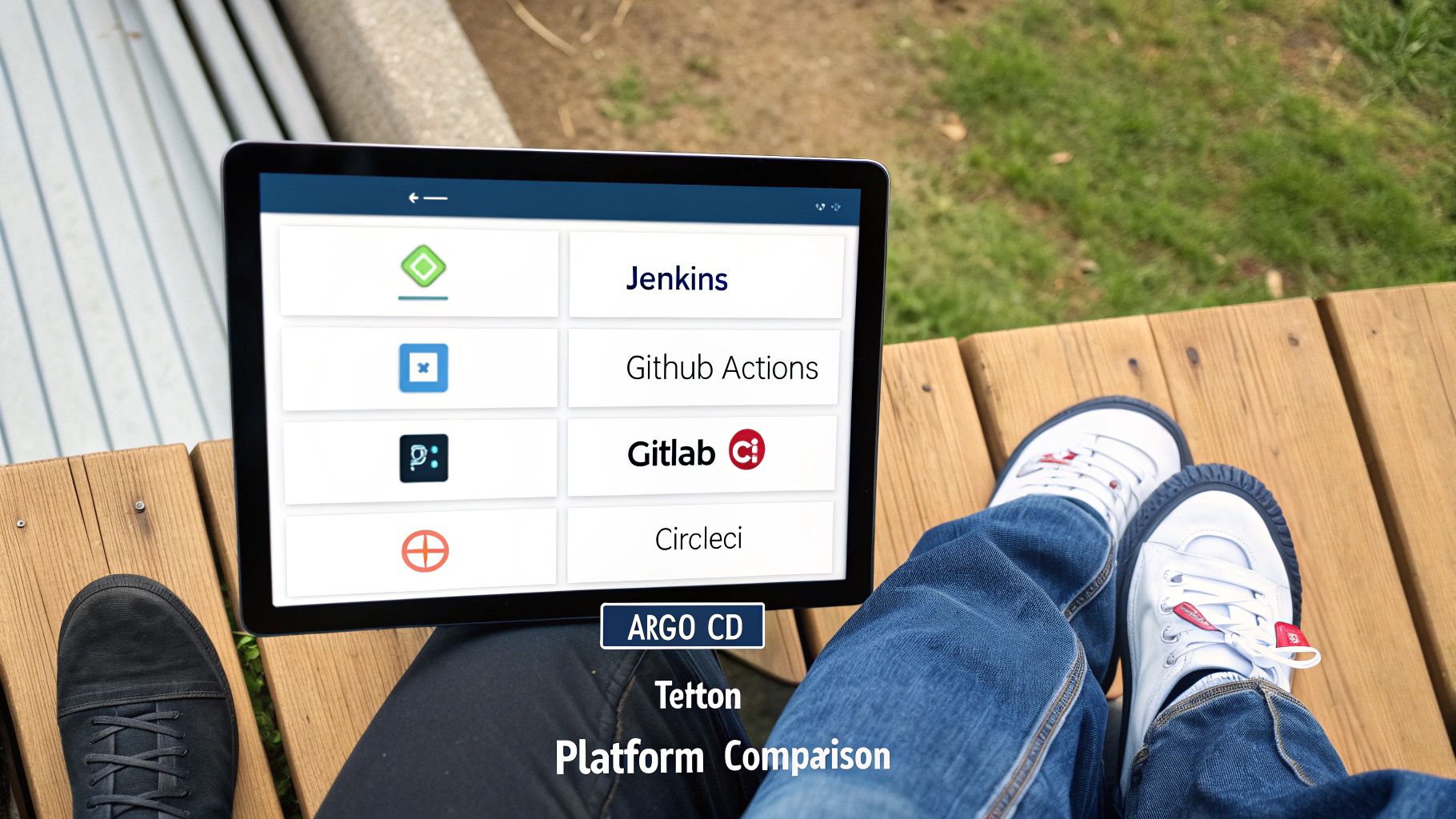
This comparison focuses on the heavy hitters in the DevOps world: Jenkins, GitHub Actions, GitLab CI/CD, CircleCI, Argo CD, and Tekton. Each one has a different philosophy on how to balance flexibility with ease of use, making them better suited for different kinds of teams and challenges. Getting these nuances right is key to picking a tool that actually helps you move faster and build more reliable software.
Setup and Onboarding Experience
How a tool gets you started tells you a lot about its core philosophy. Take Jenkins, the long-standing workhorse of CI/CD. It offers incredible flexibility through its self-hosted, plugin-based architecture. But getting it running means you're on the hook for provisioning a server, installing Java, and sorting through plugins. This gives you total control, but it's a significant upfront engineering investment that can delay your initial progress.
On the complete other end of the spectrum, you have GitHub Actions, which offers an almost frictionless start. Since it’s baked right into the GitHub platform, developers can define workflows with simple YAML files in their repositories. It’s not uncommon to get a basic pipeline up and running in minutes, which is a massive win for teams that prioritize developer velocity and want to see immediate results from their automation efforts.
GitLab CI/CD strikes a balance between the two. It's also deeply integrated with its source control platform but packs more features out of the box than GitHub Actions, which can mean a slightly steeper learning curve. Its Auto DevOps feature is a clever attempt to smooth this over, automatically creating a full CI/CD pipeline from best practices for standard projects, which can significantly accelerate onboarding for new projects.
Scalability and Performance
As your organization grows, your CI/CD demands will explode. Scalability isn't just about handling more builds; it's about doing it without creating bottlenecks. Jenkins scales using a master-agent model, where you can add more build agents (nodes) to handle jobs in parallel. The catch? You have to manage this distributed infrastructure yourself, making sure agents are compatible and the master node doesn't get overloaded, which can become a full-time job.
Cloud-native tools like GitHub Actions and CircleCI take a different approach by managing a fleet of runners for you. You just tell them what you need, and they spin up the compute on demand. This elastic model eliminates infrastructure management and ensures you have the resources needed for peak loads. CircleCI, in particular, is built for speed, with smart features like advanced caching, test splitting, and parallelism that can seriously slash your build times.
Then you have Tekton and Argo CD, which represent a completely different way of thinking about scale. As Kubernetes-native tools, they piggyback on the scalability of your Kubernetes cluster. Tekton lets you define pipelines as Kubernetes resources, so your CI/CD workload scales just like any other app in your cluster. Argo CD, which is all about GitOps, keeps your deployments in sync with a Git repo, scaling effortlessly as your Kubernetes environment grows, aligning your automation directly with your infrastructure.
Key Differentiator: The big split here is between manual infrastructure management (Jenkins) and elastic, on-demand compute (GitHub Actions, CircleCI). Kubernetes-native tools like Tekton offer a third path, tying CI/CD scalability directly to your application infrastructure.
Built-in Security and Compliance
Shifting security left—or DevSecOps—is pretty much non-negotiable today. GitLab CI/CD really stands out here, offering a whole suite of built-in security scanners for SAST, DAST, dependency scanning, and more, right inside its premium tiers. It's a huge advantage for teams wanting a unified solution that covers the entire security lifecycle without needing to integrate multiple third-party tools.
GitHub Actions leans on its vast marketplace for security. You can find thousands of third-party actions for vulnerability scanning (like Snyk or Trivy) and code analysis. It’s incredibly powerful, but it means you're responsible for piecing together and vetting your own security toolchain. That said, GitHub’s own Dependabot and CodeQL provide a solid security foundation right on the platform, offering robust capabilities out of the box.
Jenkins, with its massive plugin library, can be integrated with just about any security tool you can think of. This gives you ultimate flexibility but puts the entire burden of configuration, maintenance, and integration squarely on your team's shoulders. Argo CD’s security model is built on GitOps principles: by making Git the single source of truth and restricting direct cluster access, it creates a strong, auditable security posture for all your deployments. To see how this works in practice, you can explore various infrastructure as code examples that embody these secure principles.
Maintenance Overhead and Cost Models
Maintenance is the hidden cost that can easily dwarf a tool's sticker price. Jenkins is legendary for being maintenance-heavy. Your team will be busy managing server uptime, patching security vulnerabilities, and dealing with the infamous plugin dependency hell. The software is free, but the total cost of ownership in engineering hours can be staggering, often requiring dedicated personnel.
SaaS platforms like GitHub Actions, GitLab.com, and CircleCI make that entire problem disappear. They manage the infrastructure so your team can just focus on building great pipelines. Their costs are typically usage-based—think build minutes and concurrent jobs. This pay-as-you-go model is predictable and grows with you, making it a great option for startups and scaling teams who need to manage their budget effectively.
Argo CD and Tekton are open-source and run on your Kubernetes cluster, so their maintenance cost is tied to your cluster's health. If you're already a Kubernetes pro, the extra overhead is minimal. But if you're new to Kubernetes, be prepared for a steep learning curve and a significant operational lift. This ties the tool's maintenance directly to your team's existing skill set.
Feature and Capability Matrix Across CI CD Tools
To help you visualize the key differences, this matrix breaks down the core features and capabilities across our top contenders. It's designed to give you a quick, at-a-glance reference for what each platform brings to the table.
| Feature/Criterion | Jenkins | GitHub Actions | GitLab CI/CD | CircleCI | Argo CD |
|---|---|---|---|---|---|
| Primary Model | Self-hosted, plugin-driven | SaaS, integrated with GitHub | SaaS & Self-hosted, all-in-one | SaaS, performance-focused | Self-hosted, GitOps CD |
| Configuration | Groovy (Declarative/Scripted) | YAML | YAML | YAML | YAML (Kubernetes manifests) |
| Ease of Setup | High effort, requires infra | Very low effort, instant on | Low effort (SaaS), moderate (self) | Low effort | Moderate, requires Kubernetes |
| Scalability | Manual (Master/Agent nodes) | Automatic (hosted runners) | Automatic (SaaS), Manual (self) | Automatic (hosted runners) | Native to Kubernetes scaling |
| Security (Built-in) | None; relies on plugins | Dependabot, CodeQL | Full DevSecOps suite (premium) | Basic secrets management | Git-based audit, RBAC |
| Ecosystem | Massive (1,800+ plugins) | Large & growing (Marketplace) | Integrated, focused ecosystem | Orbs (reusable configs) | Kubernetes ecosystem |
| Maintenance | High | Low | Low (SaaS), High (self) | Low | Moderate (tied to K8s) |
| Best For | Complex, custom enterprise needs | Teams on GitHub, open source | All-in-one DevOps platform | High-performance build/test | Kubernetes-native CD |
This table highlights the core trade-offs. Jenkins offers ultimate control at the cost of high maintenance, while SaaS platforms provide convenience and integrated features. Argo CD stands apart, focusing solely on being the best-in-class tool for Kubernetes deployments, making it a specialized but powerful option for cloud-native teams.
Ecosystem and Integrations
A CI/CD tool is only as good as its connections. Jenkins has the oldest and largest ecosystem by a long shot, with over 1,800 plugins for nearly any integration you can imagine. This is its killer feature and why it still runs in so many complex, multi-tool environments. This vast library ensures you can connect to almost any service, old or new.
GitHub Actions has quickly built a powerful ecosystem through its Marketplace, where the community shares pre-built workflows. This is a game-changer for speed, as you can often find an action for a common integration instead of building it from scratch. This collaborative model accelerates pipeline development significantly.
GitLab CI/CD has more of a "walled garden" philosophy, aiming to be a complete, all-in-one platform. While it integrates with major services, its real power comes from the seamless experience you get when you're all-in on the GitLab suite. CircleCI’s "Orbs" are similar to GitHub Actions—they are reusable configuration packages that make it dead simple to integrate with common tools and cloud platforms. This kind of ci cd tools comparison shows that the right choice really boils down to whether you prefer pre-built convenience or the power of custom integrations.
Situational Recommendations for Your Team
Choosing a CI/CD tool isn't a simple matter of picking the one with the most features. The "best" choice is entirely contextual. A detailed ci cd tools comparison makes one thing clear: what works brilliantly for a fast-moving startup will almost certainly be a poor fit for a highly regulated enterprise. The right tool aligns with your specific constraints and goals.
This section is all about matching the right tool to your specific situation. By looking closely at your team’s size, technical depth, and project goals, you can make a strategic decision that actually accelerates your work instead of creating new bottlenecks. Let's break down a few common scenarios to illustrate how context dictates the ideal choice.
Solo Founders and Small Startups Building an MVP
When you're a founder or part of a tiny team, your most valuable resources are time and focus. The goal is speed. You need to get a Minimum Viable Product (MVP) in front of users yesterday. Every minute spent on infrastructure is a minute not spent on product development.
For this exact reason, GitHub Actions is often the no-brainer choice. It lives right inside your GitHub repository, so there’s no context switching or wrestling with third-party integrations. A developer can have a basic build-and-test pipeline running in minutes, not days. This immediacy is crucial for maintaining momentum.
The goal is to iterate as fast as possible. With a generous free tier for public repositories, GitHub Actions is incredibly cost-effective when every dollar is scrutinized. You don't need a dedicated DevOps person to get it off the ground. That simplicity is gold. If you're building from scratch, it’s worth exploring the core principles of DevOps for startups to build on a solid foundation.
The core principle for startups should be to minimize operational overhead. A CI/CD tool shouldn't require a dedicated team to manage; it should empower the existing team to focus on building features and gathering user feedback.
If your code is already hosted on GitLab, then GitLab CI/CD offers a similarly seamless, integrated experience. Both tools offer a low-friction entry into automation, letting you ship code without getting bogged down in complex configuration. They are designed to get you moving quickly.
Large Enterprises in Regulated Industries
For a large organization operating in finance, healthcare, or government, the priorities flip. Speed is still important, but it comes second to security, compliance, and absolute control. This is the world where self-hosted giants like Jenkins or self-managed GitLab really earn their keep. These environments demand a level of control that most SaaS platforms cannot provide.
These solutions give you the fine-grained control needed to enforce rigid security protocols and satisfy demanding audit requirements. A self-hosted Jenkins instance, for instance, lets you lock down everything from network access rules to data storage policies, guaranteeing that sensitive code and artifacts never leave your private environment. GitLab's self-managed offering provides that same airtight security alongside the convenience of an all-in-one DevOps platform.
Here's why enterprises lean this way:
- Auditability: Every single action can be logged and traced back to its source, creating the clear chain of custody required for compliance standards like SOC 2 or HIPAA. This is non-negotiable for regulated industries.
- Customization: The massive plugin ecosystem for Jenkins and the powerful features in GitLab Ultimate allow for deep, specific integrations with internal security scanners and legacy systems, which are common in large enterprises.
- Control: Your team owns the infrastructure, the uptime, and the maintenance schedule. You aren't at the mercy of a SaaS provider's outage or policy change. This autonomy is critical for mission-critical systems.
This level of control comes at the price of higher operational overhead, but for an enterprise, that trade-off is a non-negotiable cost of doing business securely. It's a strategic investment in risk management.
Teams with Complex ML and AI Workflows
The world of MLOps is a different beast entirely. It introduces challenges that traditional software development pipelines just aren't built for. Your CI/CD process needs to handle data validation, model training, artifact versioning, and deployment, often across specialized hardware like GPUs. It's a far more complex workflow than a standard web application.
For teams building AI-powered products, you need tools that play nicely with the machine learning ecosystem. This almost always leads to a hybrid approach:
- Orchestration with Jenkins or GitLab CI: These platforms are great for kicking off complex training jobs and managing the high-level workflow. Their flexibility allows them to act as the central nervous system for the MLOps pipeline.
- Specialized MLOps Tools: You'll likely integrate dedicated platforms like Kubeflow or MLflow to handle the nitty-gritty of model management and experiment tracking. These tools provide the specific features needed for machine learning that general-purpose CI/CD tools lack.
GitHub Actions is also becoming a viable player here, thanks to a growing library of community-built actions for popular ML frameworks like TensorFlow and PyTorch. The key, however, is choosing a system flexible enough to script and automate multi-stage processes that involve massive datasets and GPU-heavy computation. Your goal is a perfectly reproducible pipeline, from data ingestion all the way to model serving, ensuring consistency and reliability.
4. Security
A modern CI/CD pipeline is much more than a simple code delivery machine; it’s a core part of your quality and security strategy. Integrating security directly into the pipeline isn't just about checking a compliance box anymore. It’s about creating a robust system that ships secure, reliable products faster. This "shift-left" approach, where security moves earlier into the development lifecycle, is a non-negotiable for any serious development team. It transforms security from a bottleneck into a continuous process.
The industry data backs this up. The DevSecOps market is on track to hit USD 41.66 billion by 2030, showing just how fundamental this change is. In fact, 72% of organizations are already weaving observability and security into their daily workflows because they know that's where the real value of automation lies—building trust at every single stage. This investment reflects a deep understanding that proactive security is more effective and cost-efficient than reactive fixes.
Shifting Left: How Tools Handle Integrated Security
"Shifting left" simply means running security checks much earlier in the process. Instead of finding a critical vulnerability right before a release (the worst time), you catch it moments after the code is written. Your pipeline becomes an automated security gatekeeper, providing rapid feedback and preventing vulnerabilities from ever reaching production.
Here’s how different CI/CD platforms support this:
-
Static Application Security Testing (SAST): This is your first line of defense, analyzing source code before it’s even compiled. Platforms like GitLab CI/CD and GitHub Actions have excellent native or near-native integrations with tools like SonarQube or Snyk, allowing scans to run automatically on every commit. This gives developers immediate feedback, enabling them to fix issues quickly.
-
Dynamic Application Security Testing (DAST): DAST scans a running application, usually in a staging environment, to find vulnerabilities that only show up at runtime. Most CI/CD tools can trigger DAST scans as a pipeline stage, but the ease of integration varies. CircleCI and Jenkins, with their extensive plugin ecosystems, make it straightforward to connect to specialized DAST tools, automating this crucial testing phase.
-
Software Composition Analysis (SCA): Let's face it, modern apps are built on open-source libraries. SCA tools scan those dependencies for known vulnerabilities. GitHub Actions has Dependabot built right in, which is a massive advantage for proactively managing supply chain security. GitLab offers its own dependency scanning, while tools like Jenkins rely on plugins to integrate third-party SCA scanners.
-
Secret Scanning: Accidentally committing API keys or credentials is a common—and dangerous—mistake. GitHub has native secret scanning that works incredibly well, alerting developers and platform administrators immediately. GitLab also provides this feature, and for other platforms like Jenkins or Bitbucket Pipelines, you can integrate tools like GitGuardian to add this crucial safety net to your workflow.
The best-in-class CI/CD platforms don't just allow security checks; they make them the path of least resistance. The goal is to provide instant, actionable feedback to developers without ever making them feel like security is a roadblock.
Boosting Performance and Reliability
Beyond just security, elite engineering teams use their pipelines to enforce performance and reliability standards. The data is clear: high-performing teams who systematically use CI/CD are 1.4 times more likely to ship software faster and more reliably. Speed doesn't have to be reckless when it's built on a foundation of automated quality control. A well-designed pipeline is a quality engine.
You can integrate performance testing directly into your pipeline to make sure new code doesn’t slow things down for your users. Automating load tests with tools like k6 or JMeter against a staging environment is a common practice. This lets you catch performance regressions before they ever see the light of day in production, protecting the user experience and preventing costly outages.
Ultimately, how well a tool integrates security and performance testing is a major differentiator. For a deeper dive into deployment strategies that support this, check out these software deployment best practices. When quality and security are built-in from the start, your CI/CD pipeline stops being just an operational tool and becomes a genuine strategic advantage that drives business value.
Deciding Between a DIY Setup and a Managed DevOps Partner
Choosing a CI/CD tool is really just the first step. The real work—and the hidden costs—begin when you start operating and maintaining that pipeline. It's a bigger strategic decision than most teams realize, and it's not just about technical skill. It's about where you want your team to focus their energy. This is a critical business decision, not just a technical one.
This is the classic fork in the road: do you manage everything yourself, or do you bring in a managed DevOps partner? For startups and small teams where every engineer's time is precious, this decision can directly impact how fast you grow. The opportunity cost of managing infrastructure can be immense.
When you go the DIY route, your team owns everything. That means handling the constant maintenance, hardening security, making sure the infrastructure can scale, and dealing with the inevitable mess of plugin dependencies. For smaller teams, this often means your best developers get pulled away from building your product to instead babysit the CI/CD plumbing, which is a poor use of their valuable time.
Opting for a partner isn't about admitting you can't do it. It's a strategic move to trade that operational headache for faster product development and a quicker path to market. It's about gaining a competitive edge by letting your team do what they do best: innovate and build great software.
When to Look for a Managed Partner
There’s often a clear tipping point where the DIY approach stops making sense. A managed DevOps partner like Vibe Connect becomes the logical next step when the daily grind of managing your pipelines starts to get in the way of your actual business goals. You'll know you've hit that point when CI/CD feels more like a distraction than a tool for success.
Here are a few signs that a partnership is the smarter path forward:
- Your focus is on product, not infrastructure. If your engineers spend more time debugging pipeline configurations than they do writing code for your customers, your resources are pointed in the wrong direction. A partner frees them up to focus on building features, while the experts handle the automation. This aligns engineering effort with business value.
- Security and compliance are critical. For anyone handling sensitive data or working in a regulated industry, staying compliant is a full-time job. A managed partner brings that specialized security expertise to the table, ensuring your pipelines are locked down without forcing your team to become security pros overnight.
- You need to scale fast, but can't build a platform team. Architecting a truly scalable CI/CD system is a massive undertaking. A managed solution gives you that infrastructure and expertise on-demand, letting you grow without the months-long process of hiring and training a dedicated platform engineering team. It provides instant scalability.
Ultimately, a managed solution gives you instant access to deep DevOps experience, turning your CI/CD pipeline from a maintenance burden into a genuine strategic asset that accelerates your entire business.
The biggest hidden cost of a DIY CI/CD setup isn't the software license. It's the high-value engineering hours lost to debugging plugins and patching servers instead of building the features that make you money. Handing that work to a partner is a direct trade: operational cost for accelerated innovation.
Making this choice helps you sidestep the common traps, like wrestling with plugin dependency hell, discovering security holes in your build environments, or hitting infrastructure bottlenecks that bring your entire development cycle to a crawl. Instead of fighting with tools, your team can get back to shipping great software with confidence. It's about optimizing for what truly matters.
Your Top Questions About CI/CD Tools Answered
Diving into the world of CI/CD tools can leave you with a lot of questions. We get it. To help you sort through the noise and make a final call, we've compiled answers to some of the most common questions we hear from engineering teams. This section aims to provide clear, concise answers to guide your decision-making process.
Which CI/CD Tool Is Best for a Small Startup or a New Team?
If you're just starting out, your best bet is probably GitHub Actions. Why? Because it lives right where your code does. The tight integration with GitHub means you can get a simple workflow up and running without ever leaving the platform, which seriously cuts down on setup headaches. A basic build, test, and deploy pipeline can be defined in a simple YAML file in minutes, providing immediate value.
For teams already committed to the GitLab ecosystem, GitLab CI/CD offers that same seamless, all-in-one experience. Both platforms have great free tiers, which is a huge plus when you're keeping a close eye on your budget. They are designed to remove friction and enable rapid iteration.
For a startup, the goal should always be to keep operational distractions to a minimum. Your team needs to focus on shipping product, not wrestling with build servers.
Is It a Good Idea to Use More Than One CI/CD Tool?
Absolutely, and it's a strategy many organizations are adopting. A common setup is to use an integrated tool like GitHub Actions for quick, routine checks on pull requests. This gives developers fast feedback right inside their daily workflow, keeping the development loop tight and improving code quality incrementally.
But when it comes to the heavy lifting—like deploying to production—many teams switch to a more robust, specialized tool like Jenkins or Argo CD. This hybrid approach lets you pick the right tool for the job, striking a perfect balance between developer speed and operational rigor. You get the best of both worlds, optimizing each part of the lifecycle with the most appropriate technology.
How Much Should the Plugin Ecosystem Matter in My Decision?
The plugin ecosystem is a massive deal, especially for a platform like Jenkins. Honestly, its library of over 1,800 plugins is what makes it so powerful. These plugins are the glue that connects Jenkins to virtually any other tool you can think of, from cloud providers to security scanners. This extensibility is its greatest strength, allowing it to adapt to any environment.
For the newer players like GitHub Actions and GitLab CI, their marketplaces and component catalogs fill a similar role. These pre-built actions and templates are huge time-savers, letting your team build sophisticated pipelines without having to write every single integration from scratch. A rich ecosystem can dramatically reduce the effort required to build and maintain complex automation, making it a critical factor in your decision.