

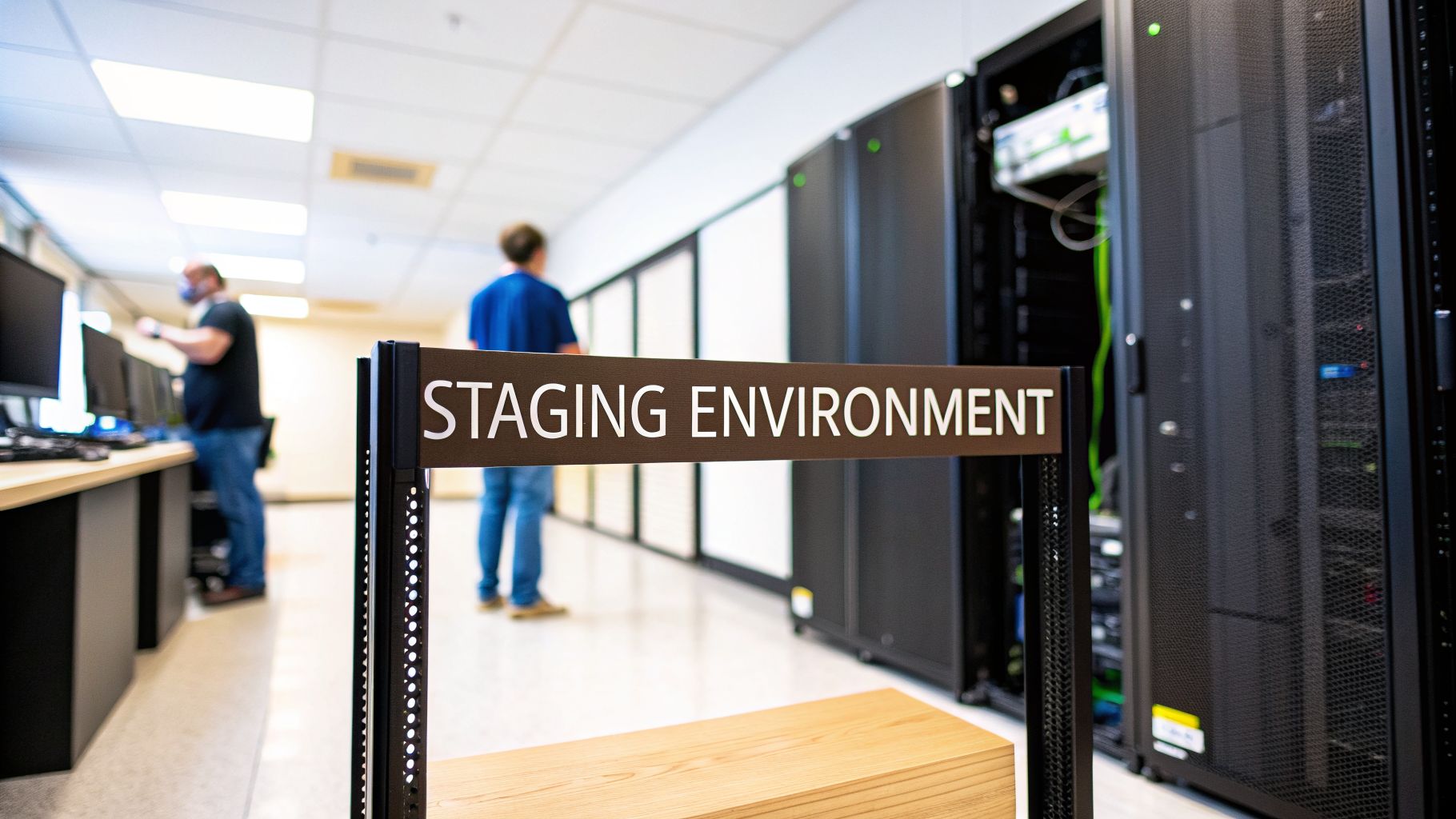
Think of a staging environment as the final dress rehearsal before your software's big debut. It's a carefully built copy of your live, or production, environment where you can test new features, bug fixes, and updates in a setting that's as close to the real thing as possible. This is your last, best chance to catch sneaky, hidden issues before they affect a single customer.
What is a staging environment, really?

Let's try a simple analogy. Imagine you're directing a Broadway play. You’d never put your actors on stage for opening night without a full dress rehearsal. They need to get a feel for the real stage, the actual costumes, the final props, and the right lighting cues. It's the only way to make sure everything flows perfectly.
A staging environment is that dress rehearsal for your software. It’s a private, controlled space designed to mirror your live application down to the last detail.
For it to be effective, this replica needs to have:
- The same hardware or cloud infrastructure.
- The same operating system and software dependencies.
- Similar network configurations and security rules.
- A recent, anonymized copy of your production database.
By setting up this near-perfect clone, you give your team a safe playground to see how new code actually behaves in the real world—without risking a catastrophic failure on launch day.
Why is this mirror environment so important?
A staging environment is your most important safety net. It’s where you get to answer all the nail-biting questions before your users are affected. Will that new feature work well with the existing codebase? Did that "minor" update accidentally break the checkout process?
This pre-production check is what prevents those common launch-day disasters. Without it, you’re basically testing on your live customers, which is a recipe for frustrating bugs, expensive downtime, and a damaged brand reputation. A bug caught in staging costs far less to fix than one that escapes into the wild.
Your staging environment is the bridge between development and production. It’s where code that should work meets the messy reality of a complex, interconnected system. Skipping it is like forgetting the final safety check on an airplane before takeoff.
More than just a bug hunt
Beyond catching last-minute glitches, a staging environment has a few other jobs. It’s the ideal place for final validation from people outside the core engineering team. Product managers, designers, and key stakeholders can log in to the staging server and interact with new features just like a real user would.
This step is key for getting everyone aligned on the final product and confirming that the user experience truly matches the original vision. It gives the entire team the confidence that the upcoming release is solid, reliable, and genuinely ready for customers.
A well-maintained staging setup protects your users from a bad experience and your business from the costly fallout.
The four environments of software development

To really grasp why staging matters so much, it helps to see the bigger picture. Software isn't just written and launched; it travels through a series of specialized environments, each with its own purpose.
Think of it as a well-oiled assembly line, where each stop adds and refines until you have a finished product ready for the public. Let's walk through the four main stops on this journey.
1. The development environment (the engineer's workshop)
Everything starts in the development environment—or "dev" for short. This is the developer's local sandbox, running right on their laptop. It’s a creative, and sometimes chaotic, space where new code is written, ideas are tried out, and individual features are born.
The dev environment is all about isolation. It allows an engineer to build a single component without worrying about what anyone else on the team is doing. It’s pure creation, one building block at a time.
2. The testing/QA environment (the quality check)
Once a piece of code is ready, it moves to the testing or Quality Assurance (QA) environment. Here, the focus shifts from creation to validation. QA engineers take the new feature and put it through its paces, trying to break it in every way they can.
The goal isn't to test the whole application, but to verify that this one specific change works exactly as it should. It’s a targeted inspection designed to catch obvious bugs before they get integrated with the rest of the codebase.
3. The staging environment (the full dress rehearsal)
This is where the magic really happens. The staging environment is the first place where all the separate pieces of code from different developers come together in a system that looks and feels just like the real thing. It’s a complete, end-to-end replica of your live application.
Think of it as the final dress rehearsal before opening night. You wouldn't put on a Broadway show without running through the entire performance with full costumes, lights, and sound, right? That's what staging is for your software. It’s your last, best chance to catch weird interactions, performance bottlenecks, or configuration issues that only appear when the entire system is assembled.
A staging environment doesn't just ask, "Does the new feature work?" It asks, "Does the entire application still work with this new feature?" The difference is huge.
4. The production environment (opening night)
Finally, we arrive at the production environment. This is the big one—the live system your actual customers use every day. It’s where your application faces the unpredictable chaos of the real world.
Any mistake that makes it to production is public, potentially affecting your users, your reputation, and your revenue. It's the reason we go through all the other environments first. If you want to learn more about this final step, we've got an in-depth guide on what is a production environment.
A comparison of software development environments
To tie it all together, it helps to see these four environments side-by-side. Each has a unique role, a different set of users, and distinct data needs that make it essential to the software development lifecycle.
The following table breaks down the key differences.
| Environment | Main Purpose | Who Uses It | Data Source | Key Characteristic |
|---|---|---|---|---|
| Development | Writing and debugging code for a single feature or fix. | Individual Developers | Mock or sample data | Isolated and local |
| Testing/QA | Verifying that specific features work as intended. | QA Engineers, Testers | Small, controlled datasets | Focused on functionality |
| Staging | Validating the entire application in a production-like setting. | Developers, QA, Product Managers | Anonymized production data | Full system integration |
| Production | Serving live traffic to real end-users. | Customers | Real user data | Live and public |
As you can see, each environment builds on the last, adding layers of integration and complexity. Skipping a step, especially staging, is like skipping the final safety checks before a rocket launch—you might be fine, but you're taking a massive and unnecessary risk.
Why modern software teams cannot skip staging

The pressure to ship code faster is always on. In that rush, it’s tempting to look for corners to cut, and for many teams, the staging environment seems like an easy sacrifice. That’s a huge mistake.
Pushing code straight from a test server to production is a bit like doing a final dress rehearsal on opening night. Sure, it might work out, but you’re skipping the one step designed to prevent a catastrophe in front of a live audience. Staging isn’t a technical luxury; it's a safety net that protects your customers, your reputation, and your bottom line.
The real-world risks of skipping the final check
So, what really happens when a serious bug makes it into your live app? The fallout can be swift and painful. Think of a staging server as your last line of defense against problems that can do real harm to your business.
Without it, you’re basically inviting disaster. Here are just a few of the preventable nightmares you’re risking:
- Direct revenue loss: Imagine you push a minor update that, unbeknownst to you, breaks your payment gateway. Every single minute your checkout is down, you are actively losing money. This is exactly the kind of integration flaw you’d catch in staging—before it costs you a single dollar.
- Brand and reputation damage: Users have zero patience for buggy software. A flawed release can unleash a torrent of bad reviews, angry support tickets, and public complaints on social media. That kind of reputational hit is tough to recover from, especially if you're a new product trying to earn trust.
- Security vulnerabilities: New code can accidentally create new security holes. A staging environment provides a safe, realistic replica of production where you can run security scans and penetration tests. Finding a vulnerability here is a win; finding it in production is a potential data breach.
The math is simple: the cost of fixing a bug in production is always higher than fixing it beforehand. Once you account for lost sales, customer churn, and all-hands-on-deck developer overtime, the business case for a solid staging setup is undeniable.
It's about more than just bugs
While preventing disasters is its main job, a staging environment also has a massive positive impact on team collaboration and overall product quality. It creates a stable, shared space where everyone can see, touch, and interact with the next release.
A staging environment is the only place where product managers, designers, and key stakeholders can get a true, hands-on feel for new features before they go live. It turns an abstract idea from a task board into a tangible experience.
This collaborative preview is priceless. It’s where a designer might spot a subtle UI issue that got missed, or a product manager might realize a new workflow isn’t nearly as intuitive as they thought. Catching these kinds of issues in staging allows for quick tweaks, making sure the final release isn't just functional, but genuinely polished.
Ultimately, a staging server builds confidence across the entire company. When a release has been properly vetted in a realistic environment, everyone from engineering to marketing can trust that the launch will go smoothly. It helps build a culture of quality, turning a potentially stressful event into a predictable success.
The hidden costs and common problems with staging
While a staging environment is a great safety net, it's not a magic bullet. For many teams—especially startups and smaller companies on a tight budget—a traditional staging setup can bring its own share of headaches and hidden expenses. The first step to finding a better way is admitting these challenges exist.
The most obvious problem is the raw cost. If you’re aiming for a perfect, 1:1 replica of your production environment, you’re effectively doubling your infrastructure bill. That means you're paying for duplicate servers, databases, and cloud services that, for much of the day, are just sitting there, unused.
This financial strain is only getting worse as IT spending continues to climb. With enterprise software costs projected to hit $1.25 trillion in 2025, every dollar counts. Staging environments are a direct contributor, racking up hefty bills for long-running, non-production setups that generate zero revenue. For a deeper look at these software development statistics, check out the analysis on boundev.com.
The slow creep of environment drift
Even if money isn't an issue, you'll still face a more subtle but equally dangerous problem: environment drift. This is what happens when your staging environment slowly, almost silently, falls out of sync with production.
It’s a story we’ve all seen play out. A developer pushes a quick hotfix directly to production to solve a critical bug but forgets to circle back and update staging. A new API key for a third-party service gets added to the live environment but never makes it to the pre-production one. Over time, these tiny discrepancies add up.
Environment drift gives you a false sense of security. You run all your tests in staging, everything comes up green, and you deploy with confidence—only to watch things break in production because of a tiny configuration difference no one even knew existed.
Suddenly, your staging environment is less of a reliable mirror and more of a funhouse mirror, distorting reality and making your tests untrustworthy. When that happens, you’ve spent a ton of money on infrastructure that gives you misleading results, which can be even worse than having no staging at all.
The human cost of complexity
Beyond the technical and financial strain, there’s a real human toll. Managing multiple long-lived environments puts a huge mental load on developers. They’re constantly juggling questions like:
- Which version of the code is actually running in staging right now?
- Did someone else’s deployment just overwrite my changes?
- Is the data in the staging database fresh enough for my tests to mean anything?
This constant context-switching is a productivity killer. A developer might finish a feature, push it to staging, and move on, only to be pulled back into the weeds days later because of a random merge conflict or a failed test. It creates friction, interrupts deep work, and wastes precious engineering time. For a startup that needs to ship fast, these delays are poison.
On top of that, managing secrets and credentials across all these environments can be a nightmare. Keeping track of database passwords, API keys, and other sensitive data for dev, QA, staging, and production is a huge security risk if you don't have a solid system in place. If you're wrestling with this, our guide on secrets management best practices can help you lock things down.
These issues—high costs, environment drift, and developer friction—show how traditional staging can get in the way of what really matters: shipping great software. The time and money you spend fighting with a clunky staging setup is time and money you aren't spending on building features for your users.
Modern staging for lean startups and AI teams

The old-school, always-on staging environment is a tough pill to swallow for many modern teams. For lean startups and fast-moving AI teams, the high costs, constant upkeep, and risk of environment drift are serious drags on momentum. They need to stay nimble, and a clunky staging server just gets in the way.
Fortunately, we're seeing a big shift toward smarter, more flexible solutions. The goal isn't to maintain a heavy, expensive clone of production anymore. Instead, it's about creating lightweight, temporary environments that deliver the confidence you need without all the overhead.
The rise of ephemeral environments
One of the most powerful modern strategies is the move to ephemeral environments, sometimes called dynamic or on-demand staging. The idea is simple but brilliant: instead of one permanent staging server, you automatically spin up a fresh, isolated environment for every single feature or pull request.
Here’s a quick look at how it works in practice:
- A developer pushes a new code branch to the repository.
- The CI/CD pipeline kicks in, automatically creating a temporary, fully functional environment that includes that specific change.
- A unique URL is generated for that environment, which can then be shared with QA, product managers, and designers for immediate review.
- Once the code is approved and merged, the temporary environment is automatically destroyed. It just vanishes.
This approach neatly solves many of the classic staging headaches. There are no servers running 24/7, racking up costs. Because each environment is built from scratch, environment drift becomes a non-issue. It also clears up the common "what's deployed to staging right now?" confusion that plagues shared environments.
Ephemeral environments give every feature its own private dress rehearsal. This lets you test multiple changes in parallel without developers stepping on each other's toes, which dramatically speeds up the entire review cycle.
Special challenges for AI and ML teams
Staging for AI and machine learning applications brings a whole new layer of complexity. You're not just testing code; you're validating models, data pipelines, and performance in a setting that has to feel real.
AI teams run into some unique hurdles:
- Massive datasets: AI models are often trained on enormous datasets that are just too big and expensive to copy into a staging environment. The trick is to find representative data subsets that can accurately predict a model's behavior without blowing the budget.
- Model behavior testing: How do you actually test a model's predictions? You need to check for bias, accuracy drift, and weird outputs for edge cases. This requires specialized monitoring and validation tools that aren't part of a standard web app's staging setup.
While staging environments are meant to catch bugs, for AI teams, they can create a false sense of security that actually slows down delivery. As the number of developers specializing in AI/ML jumped from 2% in 2022 to 10% in 2024, the pressure to get models into production has grown immensely. The mental overhead of a traditional staging setup often leads to confusion and restarts, burning cash and delaying important user feedback.
For these teams, ephemeral environments are a perfect fit. They allow data scientists to test new model versions in complete isolation before integrating them into a full production pipeline. This is a key step in building a solid process for continuous deployment, helping to get new models and features out to users much faster.
Answering your top questions about staging
Even after getting the basics down, specific questions always pop up when teams first build or fine-tune their staging environment. Let's tackle some of the most common ones we hear from founders, developers, and product managers.
Can I use my production database in staging?
The short answer: please don't. This is one of the most dangerous shortcuts a team can take.
Hooking your staging environment up to your live production database is a recipe for disaster. A single buggy test script could accidentally wipe out or corrupt real, irreplaceable customer data. Think about it—one bad query and you could be facing a catastrophic data loss.
The gold standard is to work with a sanitized or anonymized copy of your production data. This gives your team a realistic dataset to test against without ever putting your live operations at risk. For most, this involves running a script to scrub all personally identifiable information (PII) and then loading a recent snapshot of that clean data into the staging database.
What is the difference between staging and QA environments?
It helps to think of them as two distinct, sequential layers of testing.
A QA (Quality Assurance) environment is where individual features or bug fixes are tested in isolation. It’s where an engineer verifies that a specific chunk of code does what it’s supposed to do, separate from everything else.
The staging environment is the final dress rehearsal. It’s a full-blown replica of production where you test how all the new code, bug fixes, and existing features work together as a complete system. Staging answers the key question: "When we push this live, will the entire application still work as expected?"
QA is for testing a single puzzle piece. Staging is for making sure the entire puzzle fits together perfectly before you show it to the world.
How closely should staging match production?
The goal is to make it an identical twin, or as close as you can possibly get. The whole point of staging is to catch problems that only appear in a production-like setting. Every difference between the two environments is a potential blind spot where a nasty bug can hide.
You should aim for parity across the board:
- Infrastructure: If production runs on certain cloud instance types, staging should too.
- Software: Use the exact same operating system, language versions, and third-party software.
- Configuration: Mirror your network rules, environment variables, and access controls.
The more staging drifts from production, the less you can trust your test results. You’ll end up with a false sense of security and a much higher chance of post-deployment surprises.
Is a staging environment necessary for a small MVP?
This is a classic "it depends, but probably" situation. For a brand-new MVP that hasn't even launched yet, you might be able to get by without one. But that grace period ends the second you have your first real user.
From that moment on, a staging setup becomes non-negotiable. One failed deployment can completely sour the experience for your important early adopters and tarnish your reputation before you even get off the ground.
With today’s tools, setting up a lean and cost-effective staging process is easier than ever, even for a one-person project. The small amount of time it takes to set up is a tiny price to pay to avoid the massive risk of skipping it.
Turning great ideas into production-ready products is tough, especially when deployment complexity gets in the way. Vibe Connect removes these blockers by pairing your vision with AI-driven automation and expert "Vibe Shippers" who manage the hard parts—from secure staging rollouts to scalable production deployments. Stop letting DevOps slow you down and start shipping with confidence. Connect your vision with execution at https://vibeconnect.dev.