


Every great full stack developer project starts long before a single line of code is written. It begins with a solid plan—a clear, actionable blueprint that turns a raw idea into something real. This planning phase is where you make sure every technical decision you make actually solves a genuine problem for a real person. Without this foundational work, even the most technically brilliant project is likely to fail because it doesn't meet a real-world need. This guide will walk you through the entire lifecycle of a project, from the initial spark of an idea to deploying and scaling a secure, production-ready application.
From Hazy Idea to Concrete Plan

The most crucial work happens away from the keyboard, on a whiteboard or a notepad. This is where you sharpen your concept and map out your goals. Skipping this step is a recipe for scope creep and wasted effort. It's the difference between building a product people genuinely need and a solution desperately looking for a problem. Thoughtful planning acts as your North Star, ensuring every subsequent action is deliberate and aligned with your end goals.
This is especially true for today's small, scrappy teams. Indie hackers and solo founders can't afford to hire separate frontend, backend, and DevOps engineers. A full-stack developer has to wear all those hats, from designing a UI in React to wrangling databases and deploying the whole thing. This versatility is a superpower, enabling rapid prototyping and iteration without the communication overhead that can slow down larger teams.
Just look at India's booming startup scene. Companies there are often working with tight budgets, and they lean heavily on full-stack generalists. These developers can slash development time by up to 40% because they own the entire process, which cuts down on coordination overhead and keeps costs low. This efficiency is a significant competitive advantage in a fast-moving market.
Get Specific About the Problem and Your People
Every successful project I've seen starts with a razor-sharp problem statement. What exact pain point are you fixing, and for whom? Vague goals like "building a social media app" are useless. Get granular. A better goal is "creating a private photo-sharing app for families to securely share updates without a public feed." This level of detail provides immediate direction and helps you avoid building generic features that no one loves.
That kind of clarity forces you to identify your target audience. Figuring out who you're building for isn't just a marketing task; it directly shapes your tech stack and feature set. A deep understanding of user personas will inform everything from user interface design to the underlying architecture.
- Students? You'll probably need a mobile-first design and maybe integrations with tools like Google Classroom. Their workflows and device preferences are unique.
- Small Business Owners? They'll likely need data-rich dashboards and integrations with things like QuickBooks or Stripe. They value efficiency and clear ROI.
- Creative Professionals? They might demand a beautiful, visually slick interface and high-performance media uploads. User experience and aesthetics are paramount.
When you know your audience, you know which features will deliver immediate value and which can wait. This user-centric approach is fundamental to building a product that gains traction and retains users.
Key Takeaway: Don't fall in love with your solution; fall in love with the user's problem. A deep understanding of the problem and the audience is your best defense against building something nobody wants.
Nail Down Your Minimum Viable Product (MVP)
With a clear problem and audience, your next job is to define your Minimum Viable Product (MVP). An MVP isn't a half-baked, buggy mess. It’s the simplest version of your product that solves the core problem for your first users. The whole point is to launch fast, get real feedback, and then iterate. This approach minimizes risk and investment while maximizing learning.
Over-engineering is the classic trap. It’s so tempting to cram in every cool feature you can think of, but that just leads to a bloated, delayed launch. Focus on the absolute must-haves. Before you even commit to a full build, you can test your core concept with simple experiments. We cover this in more detail in our guide on how to validate a startup idea.
A great way to prioritize is using the MoSCoW method. It's a simple framework for categorizing features into Must-haves, Should-haves, Could-haves, and Won't-haves for this version. It brings clarity and discipline to the scoping process.
MVP Feature Prioritization Framework (MoSCoW Method)
This framework helps you and your team decide which features are essential for the initial launch versus those that can be developed later. It’s all about maintaining focus and delivering value quickly.
| Category | Description | Example Feature (for a Task Management App) |
|---|---|---|
| Must-Have | Non-negotiable features. The app is useless without them. | User account creation and login. |
| Should-Have | Important, but not vital for launch. They add significant value. | Ability to set due dates and reminders. |
| Could-Have | Nice to have. Desirable but can be added in a future release. | Different color themes for the interface. |
| Won't-Have | Out of scope for this version. These will not be included for now. | Integration with third-party calendar apps. |
By ruthlessly prioritizing like this, you get your full stack developer project into the hands of real users much faster. That early feedback is pure gold—it’s what guides your next steps and helps you build a product that people actually stick with.
Choosing Your Tech Stack and Architecture
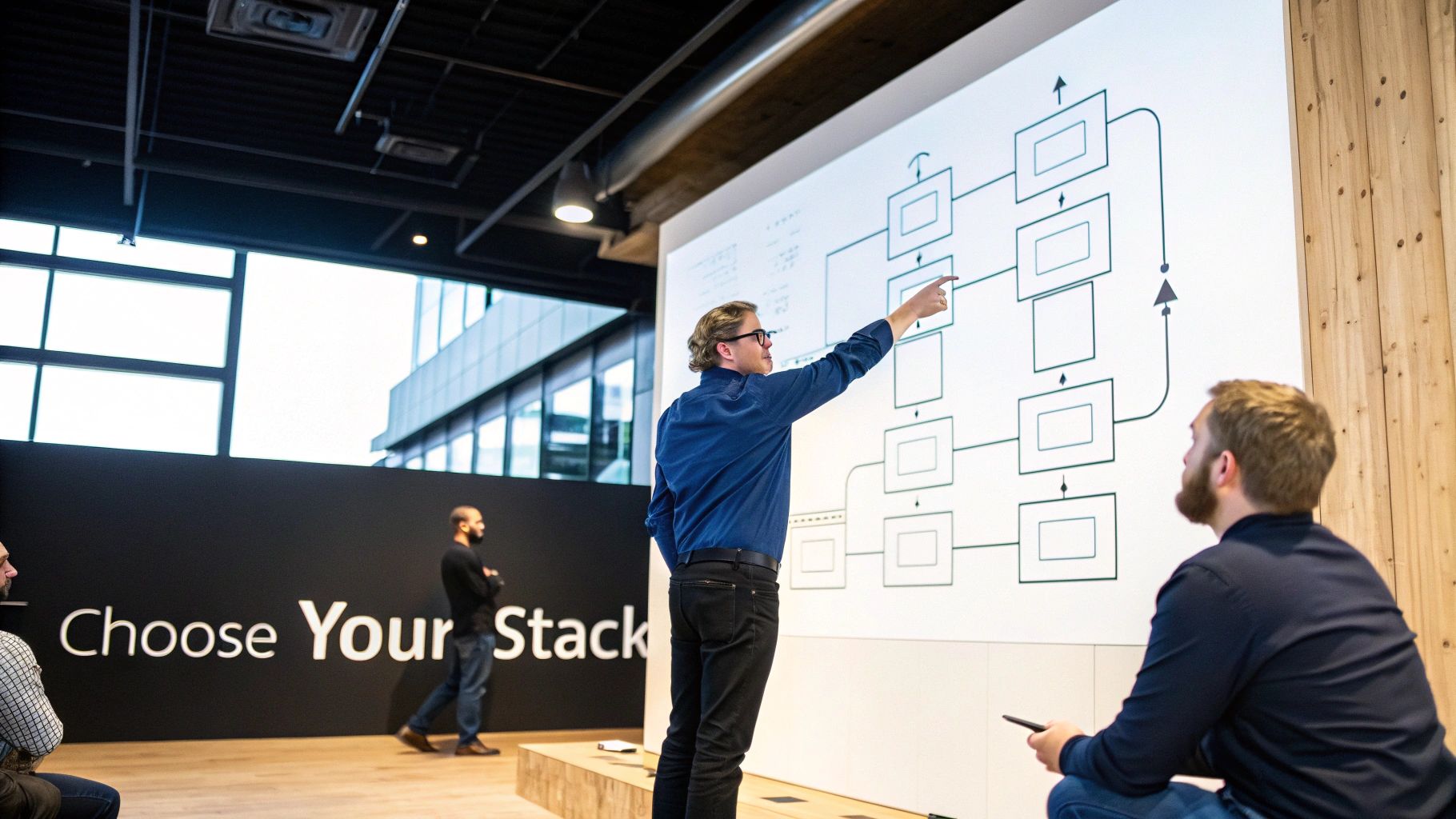
Alright, you've got a solid plan. Now for the fun part: picking the right tools for your full stack developer project. This isn't just about grabbing the latest trendy framework; it's about laying a foundation that supports your project's goals today and its growth tomorrow. A poorly chosen stack can saddle you with technical debt before you've even written a single line of code.
This decision is a balancing act. You're weighing your own expertise against the project's unique demands—like real-time data or heavy computation—and the long-term health of the codebase. Get this right, and you'll simplify development and get to launch much faster. This strategic choice has long-term implications for hiring, maintenance, and scalability.
You can't ignore the dominance of JavaScript in major markets. Using Node.js for the backend and React for the frontend just makes sense for many teams, cutting context-switching costs by a staggering 30-50% in lean environments. This is especially true in the startup world. Take India, with its 2.6 million developers; full-stack engineers who can rapidly build MVPs are in high demand. These choices are all about pragmatism—shipping a product in weeks, not months, which is everything when the clock is ticking and budgets are tight.
Monolith or Microservices: The First Big Question
Before you get lost in framework debates, you need to decide on your application’s architecture. The two big players are the monolith and microservices, but for most new projects, the choice is simpler than you might think. This is one of the most fundamental decisions you'll make.
Monolithic Architecture: This is the classic approach. Your entire application—frontend, backend, and all the logic in between—is built as a single, unified unit. It’s far more straightforward to develop, test, and deploy, making it the perfect choice for most MVPs and small-to-medium-sized projects. The simplicity of a single codebase and deployment pipeline is a huge advantage early on.
Microservices Architecture: This model breaks your app into a collection of small, independent services that talk to each other. It’s incredibly powerful for massive applications needing high availability and independent scaling, but it comes with a mountain of operational complexity, including distributed data management, service discovery, and network latency concerns.
My Advice: Start with a well-structured monolith. Don't fall into the trap of prematurely optimizing for a scaling problem you don't have yet. You can always carve out pieces of a monolith into microservices later if—and only if—the need truly arises. A modular monolith provides the best of both worlds initially.
Selecting Your Frontend and Backend Technologies
With your architectural approach set, you can get down to picking specific tools. The key is to choose frontend and backend technologies that complement each other and align with your application’s core features. Your goal is a cohesive, efficient stack.
Frontend Frameworks (React, Vue, Angular):
Your frontend choice usually comes down to the ecosystem and performance needs.
- React: It has a massive community and a vast component library, making it a safe and powerful bet for almost any project. Its ecosystem is unparalleled.
- Vue: Often praised for its gentle learning curve and fantastic documentation, Vue.js is a great option for solo developers or smaller teams seeking rapid development.
- Angular: This is a more opinionated, all-in-one framework from Google. Its rigid structure can be a huge benefit for large, complex enterprise applications requiring consistency and long-term maintenance.
Backend Languages and Frameworks (Node.js, Python, Ruby):
Your backend technology should be driven by what your application actually does.
- Node.js (with Express or NestJS): The king of fast, scalable network applications. If you need real-time features like a chat app or a live dashboard, its non-blocking I/O is incredibly efficient.
- Python (with Django or Flask): The go-to for data-intensive apps, machine learning integrations, and scientific computing. Django is a "batteries-included" framework, while Flask is more minimalist and flexible.
- Ruby (with Rails): Famous for its "convention over configuration" philosophy, Ruby on Rails can dramatically speed up development for standard web applications by making smart assumptions for you.
For a deeper dive, check out our comprehensive guide on how to choose a tech stack for your specific project needs.
Making the Right Database Decision
Finally, you need a home for your data. The classic SQL vs. NoSQL debate is really about understanding your data's shape and picking the right tool for it. This is not a decision to be made lightly, as migrating databases later can be a monumental task.
| Database Type | Best For | Example Use Case |
|---|---|---|
| SQL (e.g., PostgreSQL, MySQL) | Structured, relational data where data integrity is paramount. | An e-commerce site with clear relationships between users, orders, and products. |
| NoSQL (e.g., MongoDB, Redis) | Unstructured or semi-structured data, and apps needing high scalability and flexibility. | A social media feed with varied content types or a real-time analytics platform. |
A word of caution: don't choose a NoSQL database just because it’s the new hotness. Take a hard look at your data model. If your data is highly relational, a SQL database like PostgreSQL is almost always the more robust and reliable choice. The ACID compliance and transactional integrity of SQL databases are critical for many business applications.
Building an Efficient Development Workflow
Once you've settled on your architecture and picked your tech stack, it's time to nail down your development workflow. This isn't about creating a bunch of rigid, soul-crushing rules. It’s about building a smart, repeatable process that prevents those classic project headaches, saves you a ton of time, and helps you write quality code right from the start.
Think of a solid workflow as the engine that drives your project. A well-oiled machine lets you focus on the creative stuff—solving problems and building cool features—instead of constantly fighting with broken environments or untangling spaghetti code. This process is the foundation of team productivity.
Taming Your Code with Version Control
Let’s get one thing straight: version control is non-negotiable for any serious project. And in this world, Git is king. It's so much more than just a backup system; it’s a time machine, a collaboration hub, and a safety net that lets you experiment without fear. Mastering Git is a fundamental skill for any modern developer.
To keep things from turning into chaos, you need a solid branching strategy. One of the most battle-tested models out there is GitFlow. It’s a simple but powerful approach that uses different branches for different jobs:
mainbranch: This is your sacred ground. It should always reflect what's live and stable in production. Only tested, release-ready code belongs here.developbranch: This is where all the feature work comes together. Think of it as the integration hub for the next release.- Feature branches (e.g.,
feature/user-auth): Every new feature gets its own dedicated branch, spun off fromdevelop. This is crucial because it keeps messy, half-finished work completely isolated from the main codebase.
This separation is your guarantee that the main branch stays pristine and ready for deployment at a moment's notice. No more "oops, I pushed broken code" moments.
Consistent Environments Eliminate "It Works on My Machine"
If I had a dollar for every time I've heard "but it works on my machine," I'd be retired on a beach somewhere. This classic developer frustration almost always boils down to one thing: inconsistent local setups. The fix? Create a development environment that’s identical for every single person on the team.
This is exactly what Docker was built for. You define your entire application environment—the OS, language runtimes, databases, everything—inside a Dockerfile. This recipe lets you package your app into a lightweight, isolated container. The magic is that this container runs identically everywhere.
By containerizing your application, you're essentially shipping the code and the entire environment it needs to run. Everyone on the team gets the exact same setup, which slashes onboarding time and kills off those "it works on my machine" bugs for good.
This consistency doesn't just stop at your local machine. It creates a seamless path to staging and production, because the container running the code is the same one you've been testing with all along.
The Craft of Writing Clean and Maintainable Code
An efficient workflow isn't just about your tools—it’s about the code itself. Writing clean, maintainable code is a discipline, and it’s an investment that pays off big time whenever you need to add a feature or hunt down a bug months later. The most important principle to live by is DRY (Don't Repeat Yourself).
See yourself copying and pasting the same chunk of logic? Stop. Take a minute to pull that logic out into a reusable function, component, or service. It might feel like a tiny bit of extra work upfront, but it dramatically reduces your codebase and means you only have to fix or update that logic in one single place. For more ideas on how to boost your team's output, you can learn how to improve developer productivity in our detailed guide.
Building a Robust Testing Strategy
Finally, no professional workflow is complete without a multi-layered testing strategy. I get it, writing tests can feel like a chore that slows you down. But in reality, it's a massive accelerator. Good tests catch bugs early when they're cheap and easy to fix, not after they've already hit production. They provide a safety net for future development and refactoring.
A rock-solid testing pyramid usually involves three layers:
- Unit Tests: These are tiny, lightning-fast tests that check a single piece of logic in isolation, like a single function. They're your first line of defense and form the base of the pyramid.
- Integration Tests: These make sure different parts of your system play nicely together. A classic example is testing if an API endpoint can correctly talk to the database and get the data it needs.
- End-to-End (E2E) Tests: These are the big ones. They automate a real user's journey through your app—from logging in, to clicking around, to completing a key action. They confirm the entire system works as a whole.
When you combine these testing types, you create a powerful safety net. It gives you the confidence to refactor code and ship new features without constantly worrying that you’re breaking something else.
Automating Your Deployments with CI/CD
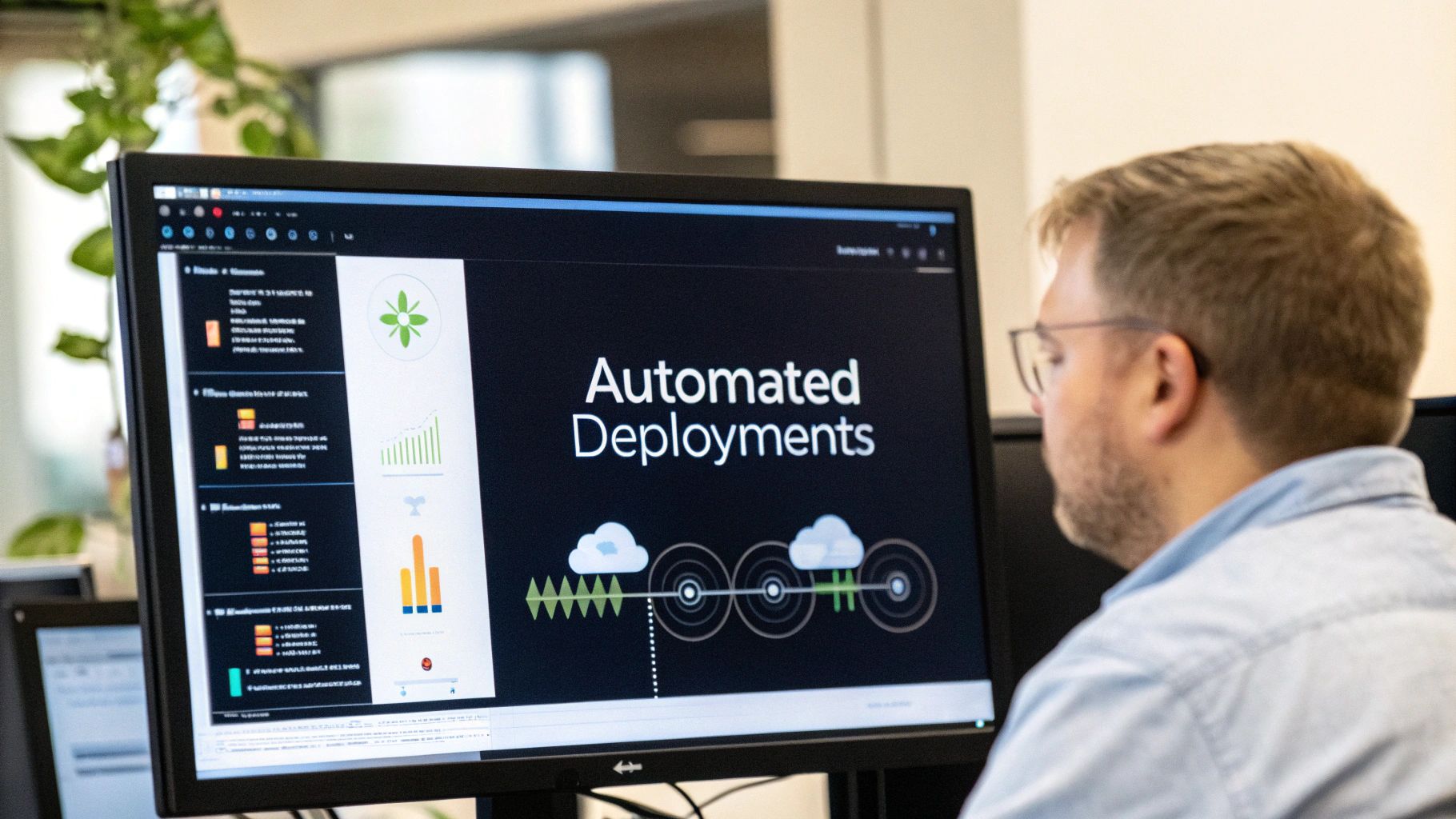
The jump from a perfectly working app on your local machine to a live server is where many full-stack projects stumble. Manually FTP-ing files, SSH-ing into a server to pull changes, and restarting services by hand isn't just a hassle—it's a minefield of potential errors. One wrong command can take your whole application offline. This is where a hands-off, automated deployment process becomes your best friend.
When you build an automated pipeline, you transform deployment from a nerve-wracking, all-hands-on-deck event into a predictable, boring routine. And in development, boring is good. The idea is simple: a git push to a specific branch should automatically kick off a series of steps—testing, building, and deploying—with zero manual intervention. This is the heart of Continuous Integration and Continuous Deployment (CI/CD).
Building Your First CI/CD Pipeline
Getting a CI/CD pipeline up and running is more straightforward than ever, thanks to modern version control platforms. Tools like GitHub Actions or GitLab CI are baked right into the Git platforms you’re already using. You can define your entire deployment workflow in a simple YAML file that lives right alongside your code.
So, what does this look like in practice? A typical workflow file listens for an event, like a push to the main branch, and then runs a series of jobs.
- Install Dependencies: The pipeline first spins up a clean environment and installs all the packages for your frontend and backend.
- Run Tests: Next, it executes your entire test suite—unit, integration, and end-to-end. This is your quality gate.
- Build the Application: If the tests pass, it compiles your code and bundles everything into optimized, production-ready assets.
- Deploy to a Server: Finally, it pushes those built artifacts to your hosting provider.
If any of these steps fail, the pipeline halts immediately and alerts you. This simple loop prevents broken code from ever reaching your users.
Containerizing Your App with Docker
To make your deployments bulletproof, you should wrap your application in a Docker container. We talked about this for keeping local development consistent, but its real power is unleashed during deployment. A Docker container packages up your application with its entire environment—the specific Node.js version, system libraries, and environment variables—into one self-contained unit.
This means the environment your app runs in on the production server is an exact, bit-for-bit clone of the one you tested on. It’s the ultimate fix for the dreaded “but it worked on my machine” problem, making your deployments incredibly predictable.
The last step of your CI/CD pipeline then becomes building this Docker image and pushing it to a container registry like Docker Hub or GitHub Container Registry. Your server's only job is to pull the latest image and run it.
Choosing the Right Hosting Strategy
With a containerized app ready to ship, where do you actually send it? The hosting world offers a ton of options, each with its own trade-offs.
For most new full-stack projects, a Platform-as-a-Service (PaaS) is the path of least resistance. Services like Vercel for the frontend and Heroku for the backend handle almost all the server management for you. You connect your Git repo, and they take care of the rest, from scaling to security.
As you grow, you might outgrow these platforms and need more control. That's when you'd look at something like Kubernetes, an orchestration platform that manages containerized applications at scale. It’s a beast with a steep learning curve, but it offers unmatched power and flexibility for complex systems.
Before you decide, it’s helpful to see how these options stack up.
Comparison of Modern Deployment Strategies
This table compares different deployment options available to full stack developers, outlining the pros, cons, and ideal use cases for each to help you choose the right strategy for your project.
| Strategy | Best For | Pros | Cons |
|---|---|---|---|
| PaaS (e.g., Vercel, Heroku) | Startups, solo developers, and projects needing rapid deployment without DevOps overhead. | Extremely easy to use, handles scaling automatically, tight Git integration. | Can be expensive at scale, less control over the underlying infrastructure ("black box"). |
| IaaS (e.g., AWS EC2, DigitalOcean) | Teams that need full control over the server environment and custom configurations. | Complete control, cost-effective if managed well, can run anything. | Requires manual server setup, maintenance, and security patching. High operational burden. |
| Container Orchestration (e.g., Kubernetes) | Large-scale applications with microservices that require high availability and complex scaling. | Unmatched scalability and resilience, standardizes deployments across environments. | Very complex to set up and manage, requires significant DevOps expertise. |
| Serverless (e.g., AWS Lambda, Google Cloud Functions) | Event-driven applications, APIs, or background tasks that have variable or unpredictable traffic. | Pay-per-use (extremely cost-effective for low traffic), automatically scales, no server management. | "Cold starts" can add latency, potential for vendor lock-in, debugging can be difficult. |
Ultimately, the best strategy is the one that fits your team's skills and your project's immediate needs. Start simple and evolve your infrastructure as your application's complexity grows.
Managing Multiple Environments Safely
A core principle of professional development is this: you never, ever push code directly from your laptop to production. A proper workflow relies on multiple environments to de-risk the process of shipping changes. This separation is crucial for stability and quality assurance.
A standard, battle-tested setup looks like this:
- Development: Your local machine. This is where you write and experiment with code.
- Staging: An environment that is a near-perfect mirror of production. This is your final proving ground for testing new features before they're exposed to real users.
- Production: The live server that your users depend on.
You can configure your CI/CD pipeline to automatically deploy to the staging environment every time code is merged into a develop or staging branch. After the team has tested and signed off on the changes, merging that code into the main branch triggers the final, confident deployment to production. This structured flow lets you ship features faster and sleep better at night.
Getting Your Project Production-Ready: Security and Scaling

Getting your project live is an incredible feeling, but it’s really just the beginning. A truly professional full stack developer project isn’t just about the features you built; it’s about making sure it can handle real users and withstand real-world threats. This is where a portfolio piece transforms into a professional-grade product.
Think of your launch as the starting line, not the finish. Now it's time to put on two new hats: security engineer and systems architect. This means actively hardening your application against common attacks and designing it to handle a sudden flood of users without collapsing. Skip these steps, and you risk watching all your hard work fall apart under the slightest pressure.
Fortifying Your Application Against Common Threats
Application security can feel like a massive, overwhelming field. The good news? You can eliminate a huge chunk of your risk by focusing on just a few core principles. It all starts with one simple mindset: treat every piece of user input as hostile until you can prove it's safe. A "zero-trust" approach to data is fundamental.
Your first line of defense is sanitizing any data that comes from a user. This single practice helps shut the door on two of the most common web vulnerabilities out there:
- SQL Injection: This is where an attacker tries to sneak database commands into an input field, hoping to trick your database into running them. The fix? Always use an ORM (Object-Relational Mapper) or parameterized queries. Never, ever just stitch user input directly into a raw database query.
- Cross-Site Scripting (XSS): Here, an attacker injects malicious code into your site that then runs in other users' browsers. Most modern frameworks have built-in protections, but the core idea is to use libraries that automatically escape HTML output, rendering any malicious scripts inert.
Beyond cleaning up inputs, you need to be strict about who can access what. Solid authentication isn't optional. Role-based access control (RBAC) should be implemented to ensure users can only perform actions and see data they are explicitly authorized for.
Expert Tip: Don't try to build your own authentication from scratch. Seriously. Implement battle-tested standards like OAuth 2.0 for social logins or JSON Web Tokens (JWT) for your own auth system. These protocols have been vetted by the entire industry, so you don't have to reinvent a very complex (and easy to mess up) wheel.
One last thing that trips up even experienced developers is secret management. Your API keys, database passwords, and other credentials should never be committed to your Git repository. Use environment variables and a dedicated tool like HashiCorp Vault or your cloud provider’s secret manager. These tools inject your secrets securely when your application starts, keeping them out of your codebase.
Designing Your Project to Scale Gracefully
Scalability isn’t about planning for a million users on day one. It's about building a system that can grow without needing a total teardown and rebuild. The goal is to spot and fix bottlenecks before they grind your application to a halt. This involves proactive performance monitoring and architectural foresight.
More often than not, your database will be the first thing to cry for help. As your user base and data grow, queries that used to be lightning-fast can slow to a painful crawl.
- Database Indexing: Think of an index like the one in the back of a textbook. It lets your database jump directly to the data it needs instead of having to read through every single row. For read-heavy applications, this is a massive performance win.
- Caching with Redis: For data that’s requested all the time but doesn't change much (like a user's profile), a cache is your best friend. A tool like Redis keeps a copy of that data in super-fast memory, taking a huge load off your main database.
Once you have more traffic than a single server can handle, it's time to share the work. A load balancer acts like a traffic cop, sitting in front of your servers and distributing incoming requests evenly across them. This not only boosts performance but also builds in redundancy—if one server goes down, the load balancer just sends traffic to the others.
This brings us to the two fundamental ways to scale your infrastructure:
| Scaling Approach | Description |
|---|---|
| Vertical Scaling | This is "scaling up." You make your existing server bigger and more powerful (more CPU, more RAM). It's simple, but you'll eventually hit a physical limit, and it gets very expensive. |
| Horizontal Scaling | This is "scaling out." You just add more servers to the group. It's a bit more complex to set up but gives you almost infinite room to grow and is much more resilient. |
Most modern applications, especially those on cloud platforms like AWS or Google Cloud, are built for horizontal scaling. You can even set up auto-scaling rules that automatically add or remove servers based on how much traffic you're getting in real-time.
The demand for developers who understand this full lifecycle—from writing the first line of code to managing security and scaling—is off the charts. For platforms like Vibe Connect, these skills are critical, as small teams need versatile developers who can handle everything from progressive web apps to serverless functions, always building with security concepts like least-privilege access in mind. The Bureau of Labor Statistics projects a 17% growth for developer roles through 2033. Yet, with ongoing skill shortages, companies are increasingly relying on on-demand talent to fill these gaps. You can dive deeper into the numbers in this report on software development trends.
Got Questions? I've Got Answers
Stepping into your first serious full-stack project can feel like you're staring at a giant, confusing map. To help you find your way, here are some straight-up answers to the questions I hear most often from developers making the leap from concept to a live product.
What's Actually the Hardest Part of Building a Full-Stack Project?
Honestly, for most developers, it isn't writing the actual code for the app's features. The real struggle is everything that comes after that. The so-called "last mile"—getting it deployed, locking down security, and making sure it doesn't crash under pressure—is almost always the biggest mountain to climb.
It’s one thing to get an app running perfectly on your own laptop. It's a completely different ballgame to make it reliable, secure, and fast for thousands of real people. This is where your DevOps hat comes on.
Things like setting up a CI/CD pipeline, figuring out cloud infrastructure, implementing solid security, and getting useful monitoring in place are skills totally separate from building features. And this is precisely where a promising project can get stuck in the mud. The transition from developer to a systems-thinking engineer is the true challenge.
So, How Long Does This Actually Take?
This is the classic "it depends" question, but let's try to put some real numbers on it. Based on my experience seeing solo developers tackle projects of varying sizes, here are some rough timelines.
- Simple MVP (2-4 weeks): Think of a basic app like a personal blog or a simple to-do list with standard CRUD (Create, Read, Update, Delete) features.
- Moderate Complexity (2-4 months): This is a more involved project. You're probably looking at user accounts, connecting to a few third-party APIs, designing a custom database, and building a more polished UI.
- Commercial-Grade Product (6+ months): We're talking about a large-scale application with serious requirements for security, scalability, and a top-notch user experience, all backed by extensive testing.
The single best piece of advice I can give you is this: scope your first version down to the absolute bare minimum. Your only goal should be to prove the core idea works, not to build the final, all-the-bells-and-whistles product right out of the gate.
What Are the Classic Mistakes I Should Avoid?
I’ve seen a lot of projects go sideways, and they usually stumble over the same few things. If you can sidestep these common pitfalls, you'll save yourself a world of pain.
- Bloating the MVP: This is, without a doubt, the number one killer of projects. Trying to build every feature you've ever dreamed of from day one is a surefire way to burn out and never launch. Instead, solve one core problem, but solve it really, really well.
- Skipping Automated Tests: I get it, writing tests feels slow. But writing code without them builds a house of cards. The first time you need to refactor something or add a new feature, that fragile code will come crashing down.
- Treating Security as an "Afterthought": Trying to sprinkle on security at the end is like installing a smoke alarm after the house has already burned down. You have to build it in from the start to protect against common attacks like XSS or SQL injection.
- Bad Database Design: A clunky, poorly planned data model is a form of technical debt that just gets more expensive over time. It can quickly become a massive performance bottleneck that’s a nightmare to fix once your app has real users.
- Doing Manual Deployments: If every update requires you to manually FTP files or SSH into a server, you're doing it wrong. This is slow, risky, and prone to human error. An automated CI/CD pipeline is non-negotiable for shipping code with confidence.
Should I Start with a Monolith or Microservices?
For just about every new full stack developer project, especially if you're a solo dev or part of a small team, the answer is crystal clear: start with a well-structured monolith.
Why? Because a monolith is infinitely simpler to build, test, and deploy. It lets you pour all your energy into building features and getting feedback, rather than getting lost in the weeds of managing a complex distributed system. The cognitive overhead is dramatically lower.
Microservices bring a ton of complexity to the table—you're suddenly dealing with network issues, data consistency problems, and a much more complicated deployment and monitoring setup. Only think about breaking pieces of your app into microservices when you have a clear, measurable scaling problem that the monolith can't handle. Don't solve for a problem you don't have yet.
At Vibe Connect, our entire mission is to bridge that gap between a great idea and a rock-solid, production-ready product. Our AI agents and expert "Vibe Shippers" take care of the heavy lifting—deployment, scaling, and security—so you can stay focused on building what your users will love. Turn your ambitious project into reality with Vibe Connect.